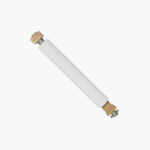
Zebra P1058930-080 Platen Roller Kit – For ZT410 and ZT411 Industrial Label Printers
Zebra P1058930-080 Platen Roller Kit – For ZT410 and ZT411 Industrial Label Printers Price on RequestRequest a quote for volume pricing, availability and lead time.
Back to products
HP CF149-60001 Formatter Board – Replacement Main Logic Board for LaserJet Pro 400 M401n
HP CF149-60001 Formatter Board – Replacement Main Logic Board for LaserJet Pro 400 M401n Price on RequestRequest a quote for volume pricing, availability and lead time.

Zebra P1112640-061 Platen Roller Kit – 203 dpi, For ZD421D and ZD621D Direct Thermal Printers

SKU: ZEBRA-P1112640-061
  • 30-Day Hassle Free Returns
  • Secure Payment Options

Price on RequestRequest a quote for volume pricing, availability and lead time.

Key Value Highlights

  • Genuine Zebra part P1112640-061 – Matches the original desktop printer roller.
  • Fits ZD421D and ZD621D – For 203 dpi direct thermal models.
  • Tool-free replacement – Snaps in and out with two bearing latches.
  • Restores clean, even print – Fixes faded areas and feeding slips.

Description

The Zebra P1112640-061 Platen Roller Kit is a 203 dpi replacement platen roller for Zebra ZD421D and ZD621D direct thermal desktop label printers. It restores the grip and pressure needed for even print and accurate label feeding when the original roller is worn, cut, or contaminated with adhesive.

Deep-Dive Story & Problem/Solution

Adhesive Build-Up and Wear Reduce Desktop Label Print Quality

In shipping desks, pharmacies, and retail counters, desktop printers run thousands of labels. Adhesive and paper dust collect on the platen, and the rubber eventually hardens or is nicked while clearing jams.

Labels then print with gaps, feed unevenly, or stop at the wrong position. Cleaning helps for a while, but a worn roller has to be replaced.

This kit is the direct replacement for 203 dpi ZD421D and ZD621D printers and brings feeding and print contact back to specification.

Compatible Printers

Zebra ZD421D and ZD621D direct thermal models at 203 dpi. Check the printer’s configuration label to confirm resolution before ordering.

Simple Swap

The roller lifts out after the two bearing latches are released, so replacement takes a couple of minutes without a technician.

Setup Instructions

How to Replace the Platen Roller on a ZD421D or ZD621D

  1. Turn off the printer, open the cover, and remove the label roll.
  2. Flip up the two platen bearing latches at the left and right.
  3. Lift out the old roller and seat the new one with the gear on the same side.
  4. Snap the latches closed, reload labels, and run a SmartCal calibration.

Overview

Part NumberP1112640-061
BrandZebra
Product TypePlaten roller kit
Compatible PrintersZebra ZD421D, ZD621D
Resolution203 dpi
Printer ClassDesktop direct thermal label printer
Print Width Supported4 inches (104 mm)
FunctionDrives labels and presses them against the printhead
Roller MaterialRubber over shaft with bearings
Print MethodDirect thermal
ConditionNew
Kit ContentsPlaten roller
InstallationTool-free, user-replaceable
MaintenanceClean with isopropyl alcohol; avoid sharp objects

Frequently Asked Questions

Find answers to common questions about this product.

Customer Reviews

Reviews

There are no reviews yet.

Be the first to review “Zebra P1112640-061 Platen Roller Kit – 203 dpi, For ZD421D and ZD621D Direct Thermal Printers”

Your email address will not be published. Required fields are marked *