1GB PC133 SDRAM 168-Pin DIMM Desktop Memory – Non-ECC, Unbuffered, 3.3V
1GB PC133 SDRAM 168-Pin DIMM Desktop Memory – Non-ECC, Unbuffered, 3.3V Price on RequestRequest a quote for volume pricing, availability and lead time.
Back to products
Micron 16GB DDR3L-1600 SODIMM Laptop RAM (MT16KTF2G64HZ-1G6A1) – PC3L-12800S, 1.35V
Micron 16GB DDR3L-1600 SODIMM Laptop RAM (MT16KTF2G64HZ-1G6A1) – PC3L-12800S, 1.35V Price on RequestRequest a quote for volume pricing, availability and lead time.

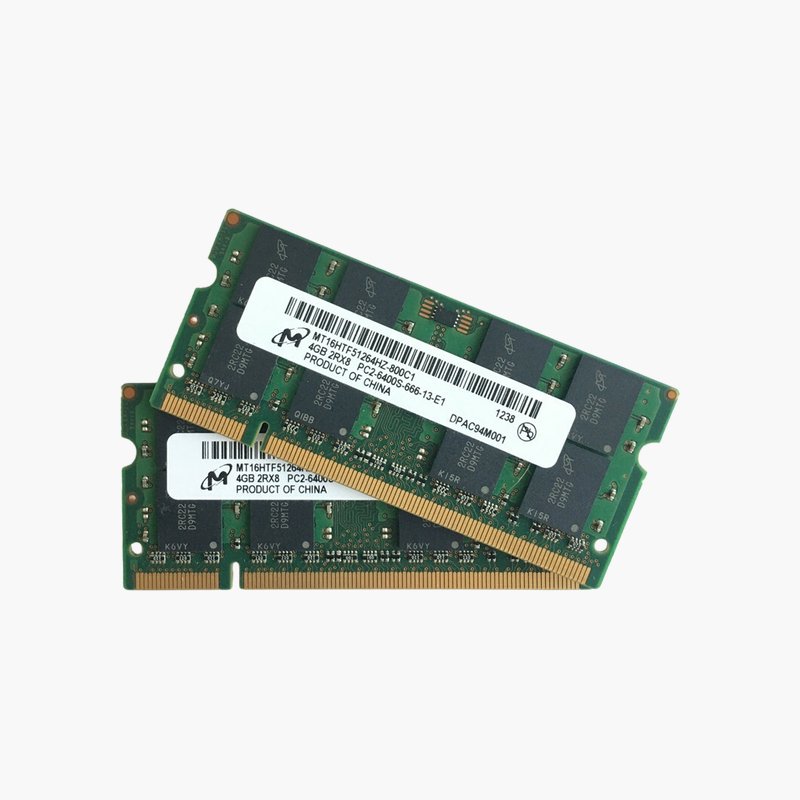
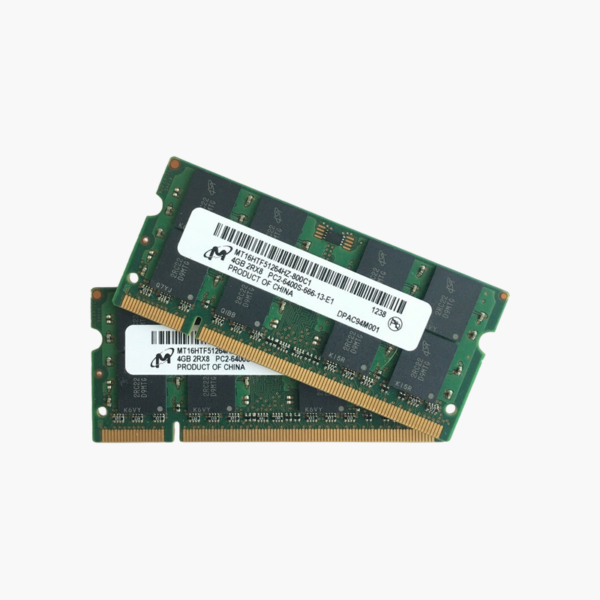
Micron 8GB (2x4GB) DDR2-800 SODIMM Laptop RAM Kit (MT16HTF51264HZ-800C1) – PC2-6400S

SKU: MT16HTF51264HZ-800C1
  • 30-Day Hassle Free Returns
  • Secure Payment Options

Price on RequestRequest a quote for volume pricing, availability and lead time.

Key Value Highlights

  • 8GB kit (2 x 4GB DDR2) – The largest DDR2 laptop configuration supported by many late-generation DDR2 platforms.
  • DDR2-800 (PC2-6400S) – Runs at 800 MT/s, or at 667 MT/s in older systems.
  • 200-pin SODIMM, 1.8V – Correct DDR2 laptop form factor and voltage.
  • Micron-manufactured – Built by a major DRAM maker for dependable legacy upgrades.

Description

Max out a DDR2 laptop with a matched 8GB Micron kit.

The Micron MT16HTF51264HZ-800C1 kit provides 8GB (2x4GB) of DDR2-800 SODIMM memory for late-generation DDR2 laptops, older MacBooks, and embedded systems. It suits repair shops and owners extending the life of machines used for legacy software, offline workstations, or retro computing.

Getting the Most From a DDR2 Laptop

DDR2 laptops from around 2007 to 2009 often shipped with 1GB to 2GB of memory, which limits them even for lightweight operating systems. Maximizing memory is the most effective upgrade these machines can take.

This kit supplies two 4GB DDR2-800 modules at 1.8V. Together they run in dual channel and give 8GB on platforms that support it, such as many laptops built on Intel GM45 and PM45 chipsets.

Platforms with an older memory controller may support only 4GB total or recognize less memory, so checking your model’s limit before buying is essential.

Faster Operation With Lightweight Operating Systems

With 8GB, a capable DDR2 laptop can run lightweight Linux distributions or legacy Windows applications far more smoothly.

Matched Pair for Dual Channel

Two identical modules ensure stable dual-channel operation and simplify troubleshooting.

How to Install the Micron DDR2 SODIMM Kit

  1. Shut down the laptop, unplug the charger, and remove or disconnect the battery if the service manual says to.
  2. Remove the memory access panel or bottom cover and release any existing module by spreading the side clips.
  3. Insert the new module at about 30 degrees with the notch aligned, then press it flat until the clips lock.
  4. Close the panel, power on, and confirm the new memory total in BIOS or your operating system.

Overview

BrandMicron
Model NumberMT16HTF51264HZ-800C1
Total Capacity8GB (2 x 4GB kit)
Memory TypeDDR2 SDRAM
Speed800 MT/s (PC2-6400S)
CAS LatencyCL6
Voltage1.8V
Module TypeSODIMM
Pin Count200-pin
RankDual rank
Error CheckingNon-ECC, unbuffered
Backward CompatibilityRuns at 667 MT/s in PC2-5300 systems
CompatibilityDDR2 laptops supporting 4GB modules
ConditionBrand New
In the Box2 x 4GB DDR2 SODIMM modules

Frequently Asked Questions

Find answers to common questions about this product.

Customer Reviews