Fortinet FortiExtender 511F 5G Cellular Extender (FEX-511F) – 5G/LTE cellular (dual SIM), 5G sub-6 GHz / LTE
Fortinet FortiExtender 511F 5G Cellular Extender (FEX-511F) – 5G/LTE cellular (dual SIM), 5G sub-6 GHz / LTE Price on RequestRequest a quote for volume pricing, availability and lead time.
Back to products
MikroTik CCR2004-1G-12S+2XS Cloud Core Router (CCR2004-1G-12S+2XS)
MikroTik CCR2004-1G-12S+2XS Cloud Core Router (CCR2004-1G-12S+2XS) Price on RequestRequest a quote for volume pricing, availability and lead time.

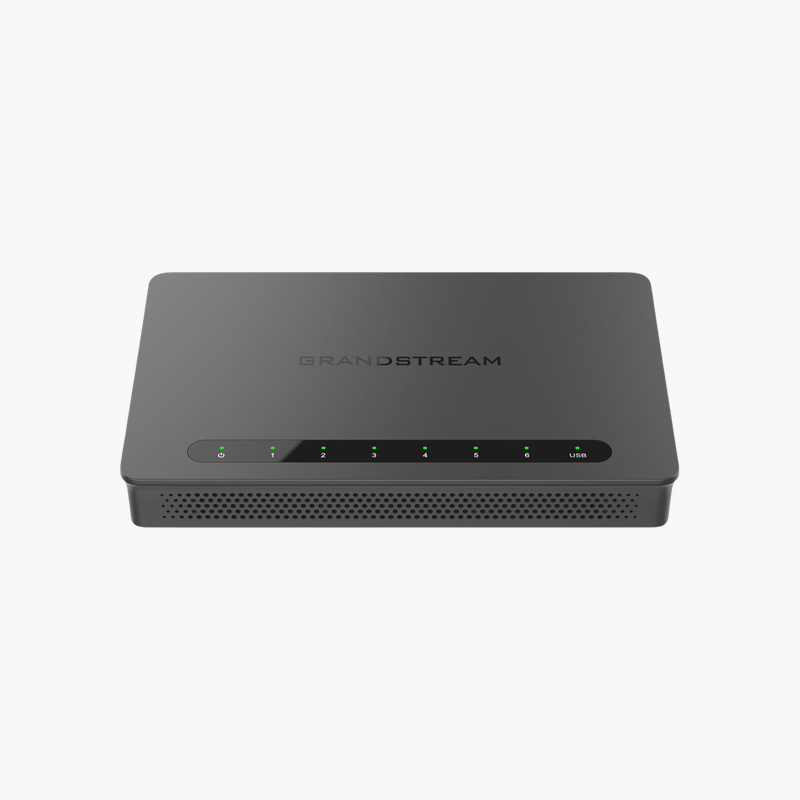
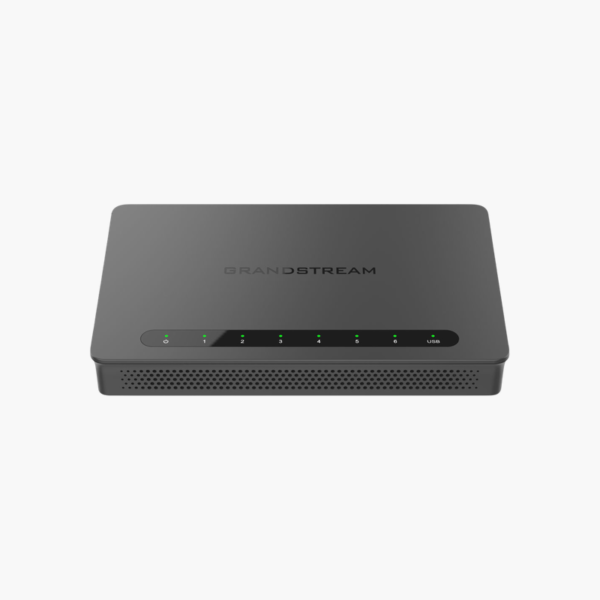
Grandstream GWN7001 Multi-WAN Gigabit VPN Router (GWN7001)

SKU: GWN7001
  • 30-Day Hassle Free Returns
  • Secure Payment Options

Price on RequestRequest a quote for volume pricing, availability and lead time.

Key Value Highlights

  • Up to multiple Gigabit WAN ports (configurable) – Matches fast internet plans and multi-WAN failover.
  • 6x Gigabit Ethernet (configurable WAN/LAN) – Wired connections for PCs, NAS, switches and consoles.
  • VPN support – Adds flexibility for setup and management.
  • GWN.Cloud and GWN Manager management – Adds flexibility for setup and management.

Description

The Grandstream GWN7001 Multi-WAN Gigabit VPN Router is a wired router. Its ports include Up to multiple Gigabit WAN ports (configurable) and 6x Gigabit Ethernet (configurable WAN/LAN). It is built for small and medium businesses that need routing, VPN and multi-WAN. VPN support and GWN.Cloud and GWN Manager management add flexibility.

Reliable routing, VPN and multi-WAN.

Reliable Routing for Growing Networks

Consumer routers struggle with multiple internet links, site-to-site VPNs and the number of users in a busy office.

The Grandstream GWN7001 Multi-WAN Gigabit VPN Router provides Up to multiple Gigabit WAN ports (configurable) and 6x Gigabit Ethernet (configurable WAN/LAN), with business routing features for VPN, load balancing and failover.

Connectivity and Ports

WAN: Up to multiple Gigabit WAN ports (configurable). LAN: 6x Gigabit Ethernet (configurable WAN/LAN).

Management and Features

VPN support and GWN.Cloud and GWN Manager management.

Setup Instructions

How to Set Up the Grandstream GWN7001 Multi-WAN Gigabit VPN Router

  1. Connect the router’s WAN port to your modem or ONT with an Ethernet cable.
  2. Power on the router and wait for the status light.
  3. Complete setup with the mobile app or web interface, setting a network name and password.
  4. Update the firmware and connect your devices.

Overview

BrandGrandstream
ModelGWN7001 Multi-WAN Gigabit VPN Router
Product TypeWired Router
WANUp to multiple Gigabit WAN ports (configurable)
LAN6x Gigabit Ethernet (configurable WAN/LAN)
FeaturesVPN support; GWN.Cloud and GWN Manager management
Use CaseBusiness routing, VPN and multi-WAN
CategoryRouters
ManagementApp / web interface / cloud
SecurityFirewall and VPN features
Network StandardIEEE 802.3 Ethernet
IP SupportIPv4 / IPv6
Part NumberGWN7001
ConditionBrand New
In the BoxRouter, power adapter (where applicable), quick start guide

Frequently Asked Questions

Find answers to common questions about this product.

Customer Reviews

Reviews

There are no reviews yet.

Be the first to review “Grandstream GWN7001 Multi-WAN Gigabit VPN Router (GWN7001)”

Your email address will not be published. Required fields are marked *