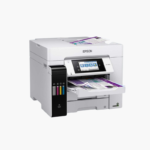
Epson WorkForce Pro WF-7840 Wireless Wide-Format All-in-One Printer – 13 x 19 Printing, Auto 2-Sided, 500-Sheet Capacity

SKU: EPSON-WORKFORCE-PRO-WF-7840
  • 30-Day Hassle Free Returns
  • Secure Payment Options

Price on RequestRequest a quote for volume pricing, availability and lead time.

Key Value Highlights

  • Prints up to 13 x 19 inches – Produces posters, drawings, and large spreadsheets.
  • Scans and copies up to 11 x 17 inches – Captures tabloid originals in one pass.
  • 25 ISO ppm black, 12 ISO ppm color – Maintains high speed on standard pages.
  • Two 250-sheet trays (500 sheets) – Keep letter and tabloid paper loaded together.
  • Print, copy, scan, and fax with 4.3-inch touchscreen – Provides full office functionality.

Description

The Epson WorkForce Pro WF-7840 is a wireless wide-format color inkjet all-in-one for architects, designers, and small offices. It prints up to 13 x 19 inches, scans up to 11 x 17 inches, and holds 500 sheets across two trays.

Deep-Dive Story & Problem/Solution

Design and Engineering Work Does Not Fit on Letter Paper

Plans, elevations, storyboards, and wide data tables lose detail when shrunk to letter size. Sending them out for printing costs time and removes control over revisions.

The WF-7840 handles wide-format work in the office. It prints borderless up to 13 x 19 inches and scans or copies originals up to 11 x 17 inches through its document feeder and flatbed.

PrecisionCore Heat-Free technology delivers 25 ISO ppm in black and 12 in color. DURABrite Ultra pigment inks in Epson 812 cartridges give sharp lines and smudge-resistant output.

Wide-Format Print and Scan

Two 250-sheet trays let you keep two paper sizes loaded. Automatic two-sided printing is supported, and a rear tray takes specialty media.

Full-Function Office Hub

A 50-sheet document feeder, fax, and a 4.3-inch touchscreen simplify multi-page jobs. USB, Wi-Fi, Wi-Fi Direct, and Ethernet are standard.

Setup Instructions

How to Set Up the Epson WorkForce Pro WF-7840

  1. Position the 45.4 lb printer on a wide surface and remove protective materials.
  2. Install the four 812 cartridges and wait for ink charging.
  3. Load letter paper in one tray and wide-format paper in the other.
  4. Connect to the network and fax line, then print a test page.

Overview

ModelEpson WorkForce Pro WF-7840
FunctionsPrint, copy, scan, fax
Print TechnologyPrecisionCore Heat-Free inkjet
Print Speed25 ISO ppm black, 12 ISO ppm color
Maximum Print Size13 x 19 inches
Maximum Scan Size11 x 17 inches
Paper Input2 x 250-sheet trays (500 sheets) plus rear feed
Document Feeder50 sheets
Duplex PrintingAutomatic
InkEpson 812 / 812XL / 812XXL DURABrite Ultra
ConnectivityWi-Fi, Wi-Fi Direct, Ethernet, USB 2.0
Mobile PrintingMopria, Epson Smart Panel
Control Panel4.3-inch color touchscreen
Weight45.4 lbs
MaintenanceReplace individual cartridges; run head cleaning as needed

Frequently Asked Questions

Find answers to common questions about this product.

Customer Reviews

Reviews

There are no reviews yet.

Be the first to review “Epson WorkForce Pro WF-7840 Wireless Wide-Format All-in-One Printer – 13 x 19 Printing, Auto 2-Sided, 500-Sheet Capacity”

Your email address will not be published. Required fields are marked *