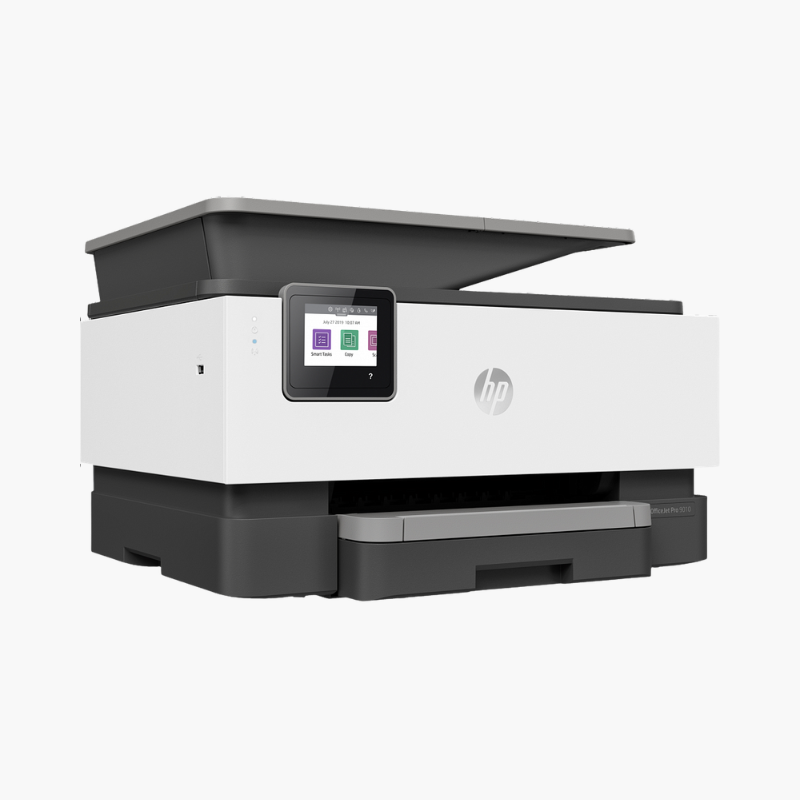
HP OfficeJet Pro 9125e Wireless Color Inkjet All-in-One Printer – Print, Copy, Scan, Fax, Duplex ADF
HP OfficeJet Pro 9125e Wireless Color Inkjet All-in-One Printer – Print, Copy, Scan, Fax, Duplex ADF Price on RequestRequest a quote for volume pricing, availability and lead time.
Back to products
HP ENVY 6155e Wireless Color Inkjet All-in-One Printer – Print, Scan, Copy, Auto Duplex, Mobile Printing
HP ENVY 6155e Wireless Color Inkjet All-in-One Printer – Print, Scan, Copy, Auto Duplex, Mobile Printing Price on RequestRequest a quote for volume pricing, availability and lead time.

HP OfficeJet Pro 9110b Wireless Color Inkjet Printer – 22 ppm, Auto Duplex, 250-Sheet Tray

SKU: HP-OFFICEJET-PRO-9110B
  • 30-Day Hassle Free Returns
  • Secure Payment Options

Price on RequestRequest a quote for volume pricing, availability and lead time.

Key Value Highlights

  • 22 ppm black, 18 ppm color (ISO) – Prints business documents at laser-like speed.
  • Print-only design – Saves space and cost where scanning is not needed.
  • Automatic two-sided printing – Halves paper use.
  • 250-sheet input tray – Supports up to 1,500 pages a month.
  • Ethernet, dual-band Wi-Fi, USB – Fits wired and wireless networks.

Description

The HP OfficeJet Pro 9110b is a wireless single-function color inkjet printer for small offices that need fast, professional color output without a scanner. It prints at 22 ppm in black and 18 ppm in color with automatic duplex and a 250-sheet tray.

Deep-Dive Story & Problem/Solution

Not Every Office Needs Another Scanner

Many teams already have a copier or scan with phones. Buying an all-in-one just to get a fast color printer adds cost, size, and parts that never get used.

The OfficeJet Pro 9110b is print-only. Without a scanner bed it is lower and lighter, at about 6.15 kg, yet keeps the print engine of HP’s office all-in-ones.

Speeds reach 22 ppm in black and 18 ppm in color (ISO), with automatic duplex. Pigment-based HP 936 inks produce durable, professional documents.

Fast Color Printing in a Small Footprint

Resolution is up to 1200 x 1200 dpi in black and 4800 x 1200 optimized dpi in color. Duty cycle is up to 25,000 pages a month.

Easy to Network and Manage

Ethernet and dual-band Wi-Fi are built in, and a 2.7-inch touchscreen simplifies setup and status checks.

Setup Instructions

How to Set Up the HP OfficeJet Pro 9110b

  1. Remove packaging and install the four setup cartridges.
  2. Load paper in the 250-sheet tray.
  3. Connect by Ethernet or use the HP Smart app for Wi-Fi.
  4. Print an alignment page and a test document.

Overview

ModelHP OfficeJet Pro 9110b
FunctionsPrint
Print TechnologyHP Thermal Inkjet, 4 individual cartridges
Print SpeedUp to 22 ppm black, 18 ppm color (ISO)
Print ResolutionUp to 1200 x 1200 dpi black; up to 4800 x 1200 optimized dpi color
Monthly Duty CycleUp to 25, 000 pages
Paper Input250 sheets
Output Capacity60 sheets
Duplex PrintingAutomatic
ConnectivityEthernet, dual-band Wi-Fi, USB 2.0
Control Panel2.7-inch capacitive touchscreen
InkHP 936 series (black approx. 1, 250 pages; colors approx. 800 pages)
WeightApprox. 6.15 kg
MaintenanceReplace individual cartridges; run printhead cleaning if needed

Frequently Asked Questions

Find answers to common questions about this product.

Customer Reviews

Reviews

There are no reviews yet.

Be the first to review “HP OfficeJet Pro 9110b Wireless Color Inkjet Printer – 22 ppm, Auto Duplex, 250-Sheet Tray”

Your email address will not be published. Required fields are marked *