Kensington Wireless Mouse for Life (K74532WWA)
Kensington Wireless Mouse for Life (K74532WWA) – Wireless Price on RequestRequest a quote for volume pricing, availability and lead time.
Back to products
Kensington Mouse-in-a-Box Wired Mouse (K72356WW)
Kensington Mouse-in-a-Box Wired Mouse (K72356WW) – Wired Price on RequestRequest a quote for volume pricing, availability and lead time.

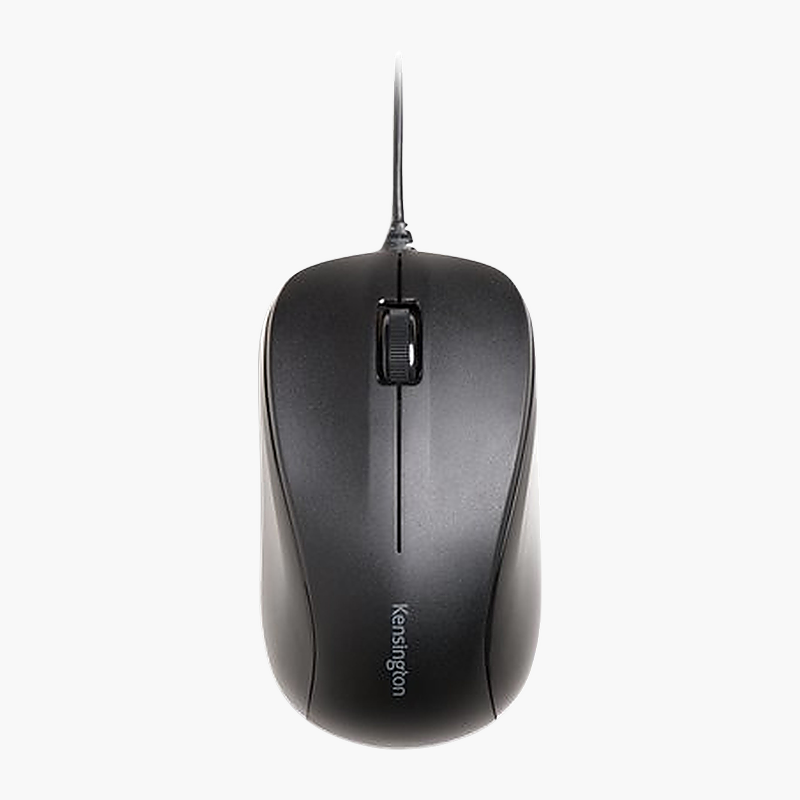
Kensington Mouse for Life Wireless Three-Button Mouse (K74531WW) – Wireless

SKU: K74531WW
  • 30-Day Hassle Free Returns
  • Secure Payment Options

Price on RequestRequest a quote for volume pricing, availability and lead time.

Key Value Highlights

  • 2.4GHz wireless – No cable drag on your desk, and the connection stays steady.
  • Optical sensor – Smooth, reliable tracking on everyday desk surfaces.
  • Long battery life – Runs for months between battery changes.
  • Ambidextrous design – Comfortable shape for left- or right-hand use.
  • AA battery power – Long battery life between changes.

Description

The Kensington Mouse for Life Wireless Three-Button Mouse is an ambidextrous wireless mouse with an optical sensor that runs on an AA battery. It is designed for home, office and student use, with long battery life. It works with Windows, macOS and ChromeOS.

Smooth control, all day long.

Reliable Everyday Control

A worn or cheap mouse causes cursor skipping, double clicks and dropped connections that slow down everyday work.

The Kensington Mouse for Life Wireless Three-Button Mouse uses an optical sensor for smooth, accurate cursor movement and connects via 2.4GHz wireless. Its ambidextrous shape keeps the hand relaxed, and 3 buttons give quick access to common actions.

Connection and Power

Connects via 2.4GHz wireless (USB receiver). It runs on an AA battery for long periods between changes.

Comfort and Controls

The ambidextrous design with 3 buttons suits home, office and student use. Runs for months between battery changes.

Setup Instructions

How to Set Up the Kensington Mouse for Life Wireless Three-Button Mouse

  1. Open the battery cover and insert the included battery (or batteries).
  2. Plug the USB receiver into a free port on your computer and switch the mouse on.
  3. Adjust pointer speed and button settings in your operating system.

Overview

BrandKensington
ModelMouse for Life Wireless Three-Button Mouse
Product TypeMouse
Interface TypeWireless
Connection2.4GHz wireless (USB receiver)
Sensor / ResolutionOptical
Buttons3
Form Factor / HandAmbidextrous
Power SourceAA battery
ReceiverUSB receiver
Key FeaturesLong battery life
OS CompatibilityWindows, macOS, ChromeOS
Part NumberK74531WW
ConditionBrand New
In the BoxMouse, USB receiver, battery, quick start guide

Frequently Asked Questions

Find answers to common questions about this product.

Customer Reviews

Reviews

There are no reviews yet.

Be the first to review “Kensington Mouse for Life Wireless Three-Button Mouse (K74531WW) – Wireless”

Your email address will not be published. Required fields are marked *