QNAP TRX-10GSFPP-LR 10GbE SFP+ LR Transceiver (TRX-10GSFPP-LR) – 10km, Single-mode fiber, LC duplex
QNAP TRX-10GSFPP-LR 10GbE SFP+ LR Transceiver (TRX-10GSFPP-LR) – 10km, Single-mode fiber, LC duplex Price on RequestRequest a quote for volume pricing, availability and lead time.
Back to products
Sonnet G10E-SFP-LR 10GBASE-LR SFP+ Transceiver (G10E-SFP-LR) – 10km, Single-mode fiber, LC duplex
Sonnet G10E-SFP-LR 10GBASE-LR SFP+ Transceiver (G10E-SFP-LR) – 10km, Single-mode fiber, LC duplex Price on RequestRequest a quote for volume pricing, availability and lead time.

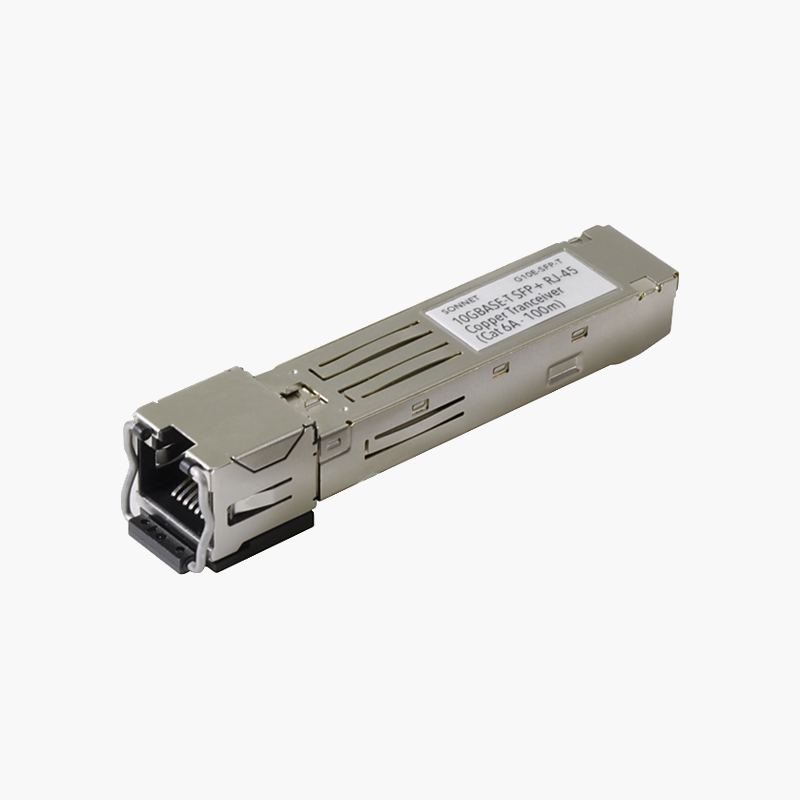
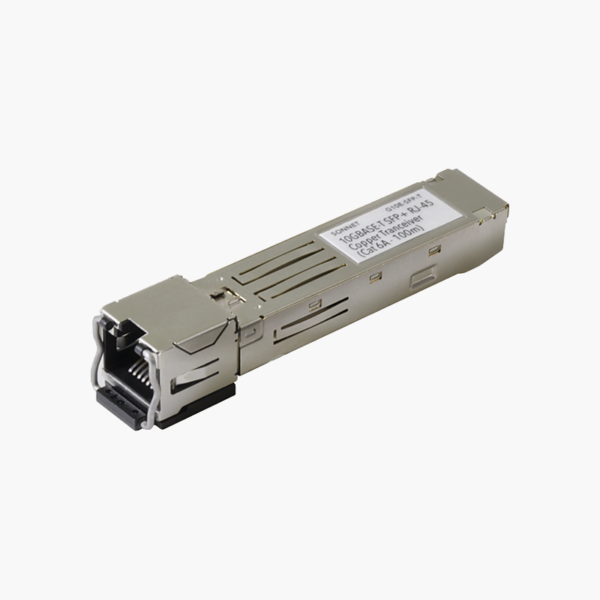
Sonnet G10E-SFP-T 10GBASE-T SFP+ RJ45 Transceiver (G10E-SFP-T) – Copper

SKU: G10E-SFP-T
  • 30-Day Hassle Free Returns
  • Secure Payment Options

Price on RequestRequest a quote for volume pricing, availability and lead time.

Key Value Highlights

  • 10GBASE-T SFP+ – Plugs into compatible SFP/SFP+/SFP28 ports.
  • Copper – Uses standard copper cabling for short links.
  • RJ45 connector – Standard connector for patch cables and panels.
  • Hot-swappable – Install or replace without powering down the switch.
  • Part number G10E-SFP-T – Quote this part number to be sure you receive this exact version.

Description

The Sonnet G10E-SFP-T 10GBASE-T SFP+ RJ45 Transceiver is a 10GBASE-T SFP+ module for copper links. It connects switches, servers and storage over standard copper cabling. It uses an RJ45 connector. It is hot-swappable for quick installation. Check host compatibility before ordering.

Plug in, link up.

High-Speed Copper Links Through SFP Ports

Many switches offer only SFP ports, while servers and NAS use RJ45 or short in-rack links.

The Sonnet G10E-SFP-T 10GBASE-T SFP+ RJ45 Transceiver provides 10G over copper, plugging straight into a compatible port.

Connection Specifications

Form factor: SFP+. Speed: 10G. Media: Copper. Connector: RJ45.

Installation and Compatibility

Insert the module into a matching port until it clicks, then connect the cable. Some hosts limit which copper modules they accept, so check the compatibility list.

Setup Instructions

How to Install the Sonnet G10E-SFP-T 10GBASE-T SFP+ RJ45 Transceiver

  1. Check that the host port supports this module type and speed.
  2. Remove the dust cap and insert the module until it latches.
  3. Connect the fiber or copper cable.
  4. Confirm the link LED and port status in the switch or device interface.

Overview

BrandSonnet
ModelG10E-SFP-T 10GBASE-T SFP+ RJ45 Transceiver
Product TypeTransceiver / Module
Form FactorSFP+
Standard10GBASE-T
Data Rate10G
MediaCopper
ConnectorRJ45
Quantity1 module
Hot-SwappableYes
CategoryTransceivers
Network StandardIEEE 802.3 Ethernet
Part NumberG10E-SFP-T
ConditionBrand New
In the BoxModule

Frequently Asked Questions

Find answers to common questions about this product.

Customer Reviews

Reviews

There are no reviews yet.

Be the first to review “Sonnet G10E-SFP-T 10GBASE-T SFP+ RJ45 Transceiver (G10E-SFP-T) – Copper”

Your email address will not be published. Required fields are marked *