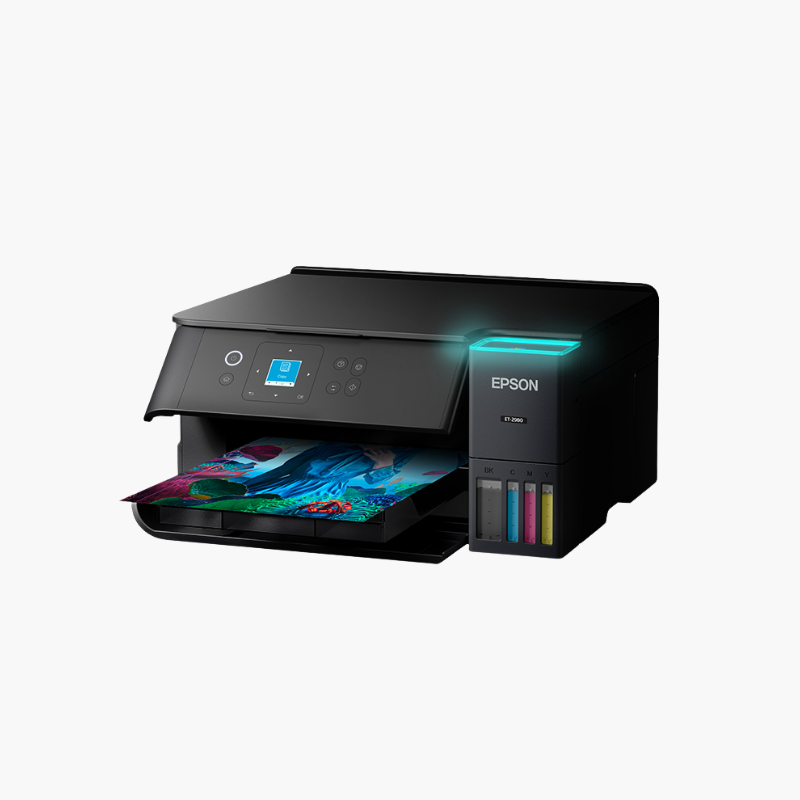
Epson EcoTank ET-2980 Wireless Color All-in-One Supertank Printer – Auto Duplex, Scan, Copy, High-Yield Ink

SKU: EPSON-ECOTANK-ET-2980
  • 30-Day Hassle Free Returns
  • Secure Payment Options

Price on RequestRequest a quote for volume pricing, availability and lead time.

Key Value Highlights

  • 15 ppm black, 8 ppm color (ISO) – Prints faster than earlier entry-level EcoTank models.
  • Automatic two-sided printing – Saves paper without manual flipping.
  • High-yield ink bottles – Print up to 8,500 black and 6,500 color pages.
  • Wi-Fi 5 with Wi-Fi Direct – Connects reliably on modern home networks.
  • 2400 dpi scanner – Captures documents and photos in detail.

Description

The Epson EcoTank ET-2980 is a wireless color all-in-one supertank printer for home offices and families. It prints at 15 ppm in black with automatic duplex, scans and copies, and uses bottled ink rated for up to 8,500 black and 6,500 color pages.

Deep-Dive Story & Problem/Solution

Entry-Level Tank Printers Have Been Slow and Lacked Duplex

Early supertank printers saved on ink but were slow and required manual page flipping for two-sided documents. For home offices, those compromises wasted time.

The ET-2980 raises speed to 15 ppm in black and 8 ppm in color (ISO) and adds automatic two-sided printing, at 6.5 and 4.5 ppm in duplex mode.

Each black bottle is rated for up to 8,500 pages and each color bottle for up to 6,500 pages. Print resolution is 4800 x 1200 dpi.

Faster Printing With Automatic Duplex

Copy speeds reach 11 cpm in black. The rear feed holds 100 sheets and accepts envelopes, photo paper, and specialty media up to legal size.

Modern Connectivity and Low Power Use

Wi-Fi 5, Wi-Fi Direct, USB, AirPrint, and Android printing are supported. A 1.44-inch color LCD provides standalone control, and operating power is only about 13W.

Setup Instructions

How to Set Up the Epson EcoTank ET-2980

  1. Remove packaging and fill each ink tank from its keyed bottle.
  2. Power on and allow ink charging to finish.
  3. Load paper and connect to Wi-Fi with the Epson Smart Panel app.
  4. Print a nozzle check and a two-sided test page.

Overview

ModelEpson EcoTank ET-2980
FunctionsPrint, copy, scan
Print TechnologyHeat-Free inkjet, cartridge-free supertank
Print Speed15 ppm black, 8 ppm color (ISO)
Duplex Print Speed6.5 ppm black, 4.5 ppm color
Print Resolution4800 x 1200 dpi
Ink YieldUp to 8, 500 pages black / 6, 500 pages color per bottle set
Paper Input100 sheets (rear feed)
Duplex PrintingAutomatic
ScannerFlatbed, 2400 dpi
ConnectivityWi-Fi 5, Wi-Fi Direct, USB
Mobile PrintingApple AirPrint, Android printing, Epson Smart Panel
Display1.44-inch color LCD
Maximum Paper Size8.5 x 14 inches
MaintenanceRefill tanks from bottles; run nozzle check and cleaning as needed

Frequently Asked Questions

Find answers to common questions about this product.

Customer Reviews

Reviews

There are no reviews yet.

Be the first to review “Epson EcoTank ET-2980 Wireless Color All-in-One Supertank Printer – Auto Duplex, Scan, Copy, High-Yield Ink”

Your email address will not be published. Required fields are marked *