HyperDrive GEN2 10-in-1 USB-C Docking Station (HD-G210)
HyperDrive GEN2 10-in-1 USB-C Docking Station (HD-G210) – 85W, 2 Displays Price on RequestRequest a quote for volume pricing, availability and lead time.
Back to products
Kensington G1000P USB-C Mini Dock (K35200WW)
Kensington G1000P USB-C Mini Dock (K35200WW) Price on RequestRequest a quote for volume pricing, availability and lead time.

Kensington CH1000 USB-C 4-Port Hub (K39124WW) – 2x USB-A

SKU: K39124WW
  • 30-Day Hassle Free Returns
  • Secure Payment Options

Price on RequestRequest a quote for volume pricing, availability and lead time.

Key Value Highlights

  • USB-C connection – Plug-and-play setup with no drivers or external power required.
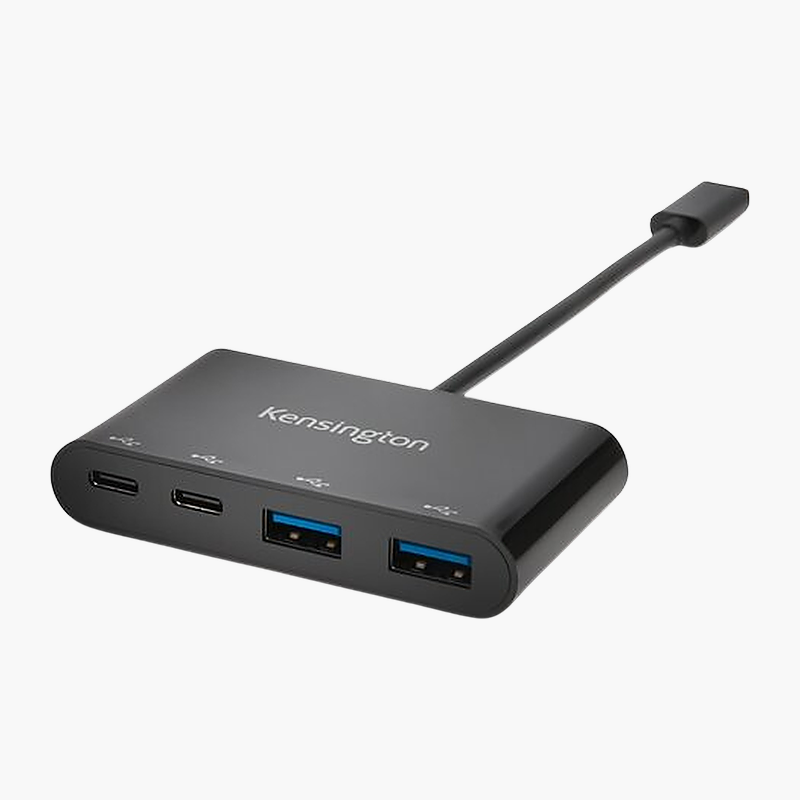
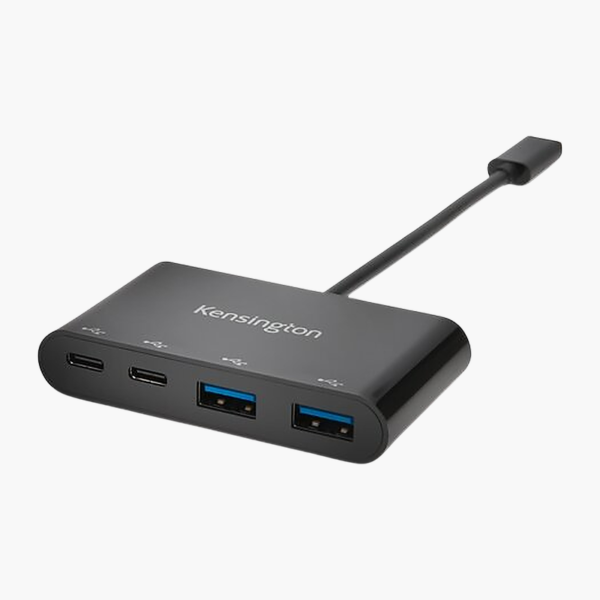
  • USB-A and USB-C ports – 2x USB-A (5Gbps), 2x USB-C (5Gbps) for keyboards, mice, drives and phones.
  • Works with Windows 8.1+ – Compatible with Windows 8.1+, macOS 10.10+ and ChromeOS.
  • Compact, portable design – Small enough to carry in a laptop bag.

Description

The Kensington CH1000 USB-C 4-Port Hub turns one USB-C port into 2x USB-A plus 2x USB-C. It is bus-powered and plug-and-play, built for travel and laptops that are short on ports, and connects flash drives, keyboards, mice and other USB accessories at up to 5Gbps. It works with Windows 8.1+, macOS 10.10+ and ChromeOS.

Fewer cables, more connections.

More USB Ports Without the Clutter

Thin laptops and compact desktops often ship with only one or two ports, leaving no room for a monitor, USB drive, wired network and charger at the same time.

The Kensington CH1000 USB-C 4-Port Hub adds USB-A and USB-C ports. Everything connects without extra drivers.

Ports for Every Peripheral

USB connectivity: 2x USB-A (5Gbps); 2x USB-C (5Gbps).

Simple, Portable Setup

Power: Bus-powered. Works with Windows 8.1+, macOS 10.10+ and ChromeOS.

Setup Instructions

How to Set Up the Kensington CH1000 USB-C 4-Port Hub

  1. Plug the hub’s integrated cable into your laptop’s USB-C port.
  2. Plug in your USB devices.
  3. Open File Explorer or Finder to confirm connected drives and devices are recognised.

Overview

BrandKensington
ModelCH1000 USB-C 4-Port Hub
Product TypeUSB Hub
Host ConnectionUSB-C
Laptop Charging (Power Delivery)No (bus-powered)
USB-A Ports2x USB-A (5Gbps)
USB-C / Thunderbolt Ports2x USB-C (5Gbps)
Power SupplyBus-powered
OS CompatibilityWindows 8.1+, macOS 10.10+, ChromeOS
Form FactorPortable hub
Plug and PlayYes
CategoryDocking Stations & Hubs
Part NumberK39124WW
ConditionBrand New
In the BoxHub, host cable, quick start guide

Frequently Asked Questions

Find answers to common questions about this product.

Customer Reviews

Reviews

There are no reviews yet.

Be the first to review “Kensington CH1000 USB-C 4-Port Hub (K39124WW) – 2x USB-A”

Your email address will not be published. Required fields are marked *