Networking
Shop all 595 products
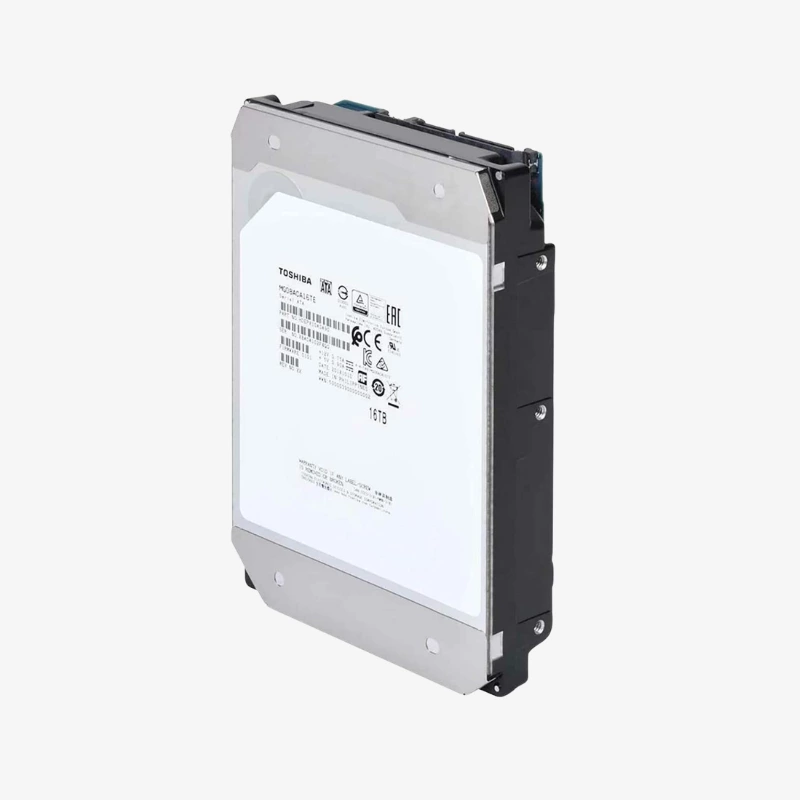
24TB of cloud-scale CMR capacity in a standard 3.5-inch enterprise drive.
The Toshiba MG11ACA24TE is a 24TB, 3.5-inch enterprise SATA hard drive for data centers, big data platforms, video surveillance archives and backup infrastructure. A 10-disk helium-sealed design with second-generation FC-MAMR delivers 24TB of CMR capacity at 7200 RPM, with a 1GB cache and 550 TB/year rating.
Why Business-Critical Storage Needs an Enterprise-Class Drive
Storage budgets are driven by more than drive price. Every bay, rack unit and watt adds cost over years of operation, so higher capacity per drive lowers total cost of ownership, as long as the drive keeps the compatibility and reliability of conventional recording.
The MG11ACA24TE packs 24TB into a standard 26.1 mm, 3.5-inch drive using ten platters at 2.4TB each. Toshiba’s second-generation Flux Control Microwave-Assisted Magnetic Recording (FC-MAMR) makes that density possible while keeping CMR, so the drive behaves predictably in RAID, ZFS and object storage systems.
Helium sealed inside the 10-disk mechanics with Toshiba’s precision laser welding reduces aerodynamic drag. Toshiba lists 8.11 W read/write and 4.35 W active idle, which supports better watts per terabyte than lower-capacity drives.
1GB Cache and 295 MiB/s Sustained Transfer
A 7200 RPM spindle and 1GB buffer deliver up to 295 MiB/s sustained transfer, helping large ingest, backup and restore jobs finish faster and keeping performance steady across busy arrays.
Enterprise Reliability and Power-Loss Protection
Toshiba rates the MG11 for 24/7 operation, 550 TB per year, 600,000 load/unload cycles and 2,500,000 hours MTTF with a 0.35% annualised failure rate. The 512e model includes Persistent Write Cache to help protect data during sudden power loss.
Setup Instructions
How to Install the Toshiba MG11 24TB in a Server or Storage System
- Power down the server or storage enclosure, or confirm the backplane supports hot-plug before removing a drive carrier.
- Fit the Toshiba MG11 24TB into the server’s 3.5-inch drive carrier and secure it with the carrier screws.
- Slide the carrier into a SATA-capable backplane slot, or connect it to a SATA port or SAS HBA, then power on the system.
- Confirm the drive in your RAID controller, HBA utility or OS storage manager, then add it to an array, ZFS pool or volume and enable S.M.A.R.T. monitoring.