
Networking
Shop all 595 products
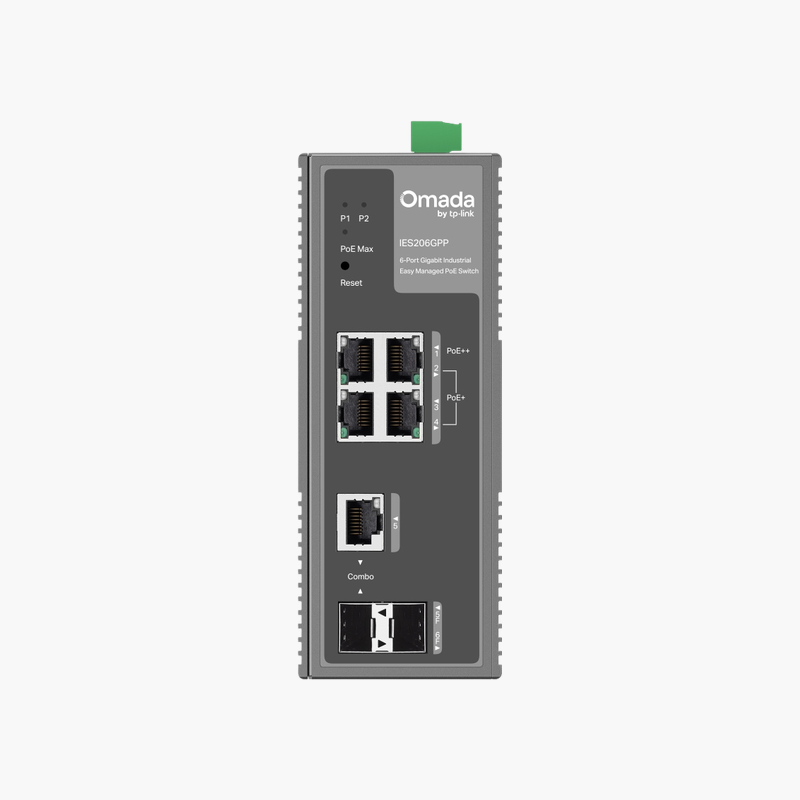
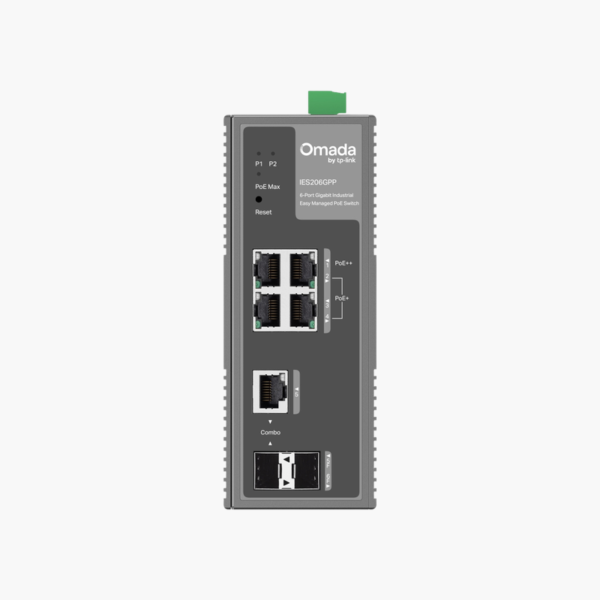
The TP-Link Omada IES206GPP 6-Port Gigabit Industrial Easy Managed Switch with 4-Port PoE is an industrial easy smart managed PoE switch with 4x Gigabit RJ45 (1 PoE++, 3 PoE+) and 1x Gigabit RJ45/SFP combo + 1x 1G SFP uplinks. It supplies 1x PoE++ + 3x PoE+ power from a 120W budget for access points, IP cameras and VoIP phones.
More ports, less clutter.
Reliable Switching in Harsh Environments
Standard office switches fail in dust, heat, cold and moisture, leaving cameras, sensors and access points offline at remote sites.
The TP-Link Omada IES206GPP 6-Port Gigabit Industrial Easy Managed Switch with 4-Port PoE provides 4x Gigabit RJ45 (1 PoE++, 3 PoE+) with 1x PoE++ + 3x PoE+ in a hardened design built to keep edge devices connected outside the server room.
Ports and Performance
Ports: 4x Gigabit RJ45 (1 PoE++, 3 PoE+). Uplinks: 1x Gigabit RJ45/SFP combo + 1x 1G SFP. PoE: 1x PoE++ + 3x PoE+, 120W budget. SFP/SFP+ ports require compatible transceivers or DAC cables.
Management and Installation
VLANs, QoS and IGMP snooping through a simple web interface or app. Built for factories, cabinets and wide temperature ranges. DIN-rail or wall mount, -40 to 75°C operating range and Dual 12–57V DC input.
Setup Instructions
How to Set Up the TP-Link Omada IES206GPP 6-Port Gigabit Industrial Easy Managed Switch with 4-Port PoE
- Mount the switch and connect power.
- Connect an uplink port to your router or core switch.
- Open the web interface and adopt or log in to the switch, then update the firmware.
- Create VLANs and QoS rules, then connect your devices.














Reviews
There are no reviews yet.