
Networking
Shop all 595 products


Simple, high-capacity portable storage you can plug in and use right away.
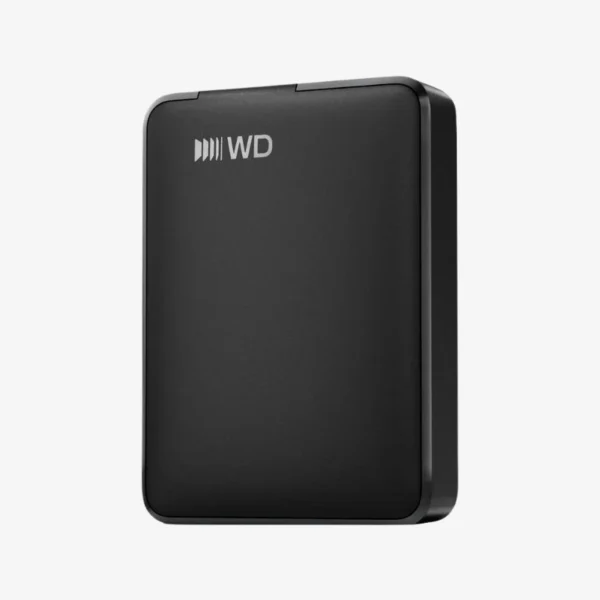
The WD Elements Portable 5TB (WDBA3A0050BBK-WESN) is a USB 3.2 Gen 1 portable external hard drive for students, home users, and professionals who need extra space on the go. It is bus-powered, plug-and-play on Windows, and gives you 5TB for backups, media libraries, and moving large files between computers.
How the WD Elements Portable 5TB Solves the Running-Out-of-Space Problem
Laptops with small SSDs fill up fast, and cloud storage gets expensive or slow once your files reach the terabyte range. A portable hard drive gives you a one-time-cost way to offload photos, videos, and projects and keep a local backup you control.
The WD Elements Portable 5TB connects with a single USB cable that supplies both data and power, so there is no adapter to carry. Over USB 3.2 Gen 1 (USB 3.0), it moves large folders quickly, and it still works with older USB 2.0 ports at reduced speed.
It arrives formatted for Windows, so you can drag and drop files immediately. Mac users can reformat it with Disk Utility to use it with macOS or across both platforms.
5TB of Storage in a Pocket-Size Drive
Store years of photos, hours of HD video, or a complete backup of your laptop in a compact enclosure that travels easily between home, office, and campus.
Plug-and-Play Simplicity
No drivers, no power brick, and no setup wizard required on Windows. Connect the cable and the drive appears in File Explorer, ready for copying or for Windows File History backups.
How It Works / Setup Instructions
How to Set Up the WD Elements Portable 5TB
- Connect the drive to your computer’s USB port using the included cable.
- Wait for the drive to appear in File Explorer (Windows) or Finder (macOS).
- On a Mac, reformat the drive in Disk Utility if you need full read/write access in macOS.
- Drag and drop files, or set up scheduled backups so your copy stays current.





Reviews
There are no reviews yet.