
Networking
Shop all 595 products
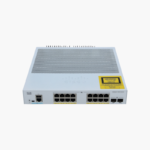

Business-grade Cisco switching for 16 devices, with power delivered over the same cable.
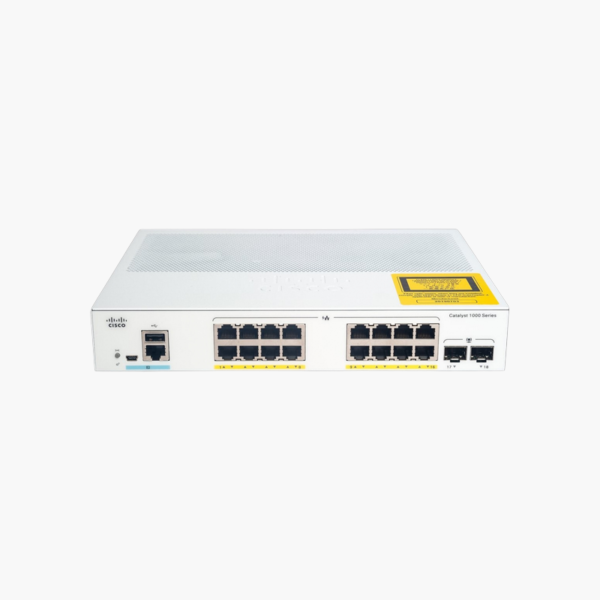
The Cisco C1000-16FP-2G-L is a 16-port Gigabit Ethernet PoE+ switch from the Catalyst 1000 Series, with two 1G SFP uplinks for fiber or copper SFP modules and a 240W PoE budget. It is built for small offices and branch sites with 10 to 15 wired devices that need Cisco-grade Layer 2 management, security and reliability without enterprise licensing costs.
Why Separate Power Adapters and Unmanaged Switches Slow Down Your Deployments
Every IP phone, wireless access point or security camera that needs its own power adapter adds a wall outlet, a failure point and an extra install step. Unmanaged PoE switches solve the power problem, but give you no way to see how much power each device draws, reboot a frozen camera remotely, or keep camera traffic away from office data.
The C1000-16FP-2G-L delivers IEEE 802.3at PoE+ (up to 30W per port) from a shared 240W budget, so one Ethernet cable carries both data and power. Power can be monitored and prioritized per port, and a frozen device can be power-cycled from the management interface instead of a site visit.
Because it is a managed Layer 2 switch, you can place phones, cameras and access points on their own VLANs, apply QoS so voice calls stay clear, and lock ports with 802.1X. The non-blocking 36 Gbps fabric keeps all 16 ports at full Gigabit speed while they are powering devices.
Gigabit Uplinks for Fiber or Copper Links
The 2 x 1G SFP ports let you connect this switch to a core switch or another closet over fiber, which supports longer distances than copper and is immune to electrical interference. Use Cisco 1000BASE-SX or LX SFP modules depending on distance.
Silent, Fanless Design
With no internal fan, the C1000-16FP-2G-L runs silently and has fewer moving parts to wear out, which suits desks, classrooms, shops and meeting rooms. Its compact 1RU chassis can sit on a desk, mount on a wall, or go into a rack. It operates from -5°C to 50°C at sea level.
How to Set Up the Cisco C1000-16FP-2G-L
- Mount the switch on a desk, wall or 19-inch rack, leaving the side vents clear, then connect power.
- Connect your uplink to the core switch or router through an SFP module or copper cable on the uplink ports, then cable your end devices, including PoE phones, cameras and access points, to the Gigabit ports.
- Open the web UI from a browser (or use the console port and CLI), set an admin password and management IP, and update to the latest Cisco firmware.
- Create VLANs for staff, guest, voice and device traffic, enable Spanning Tree and port security, and save the configuration.














Reviews
There are no reviews yet.