
Networking
Shop all 595 products
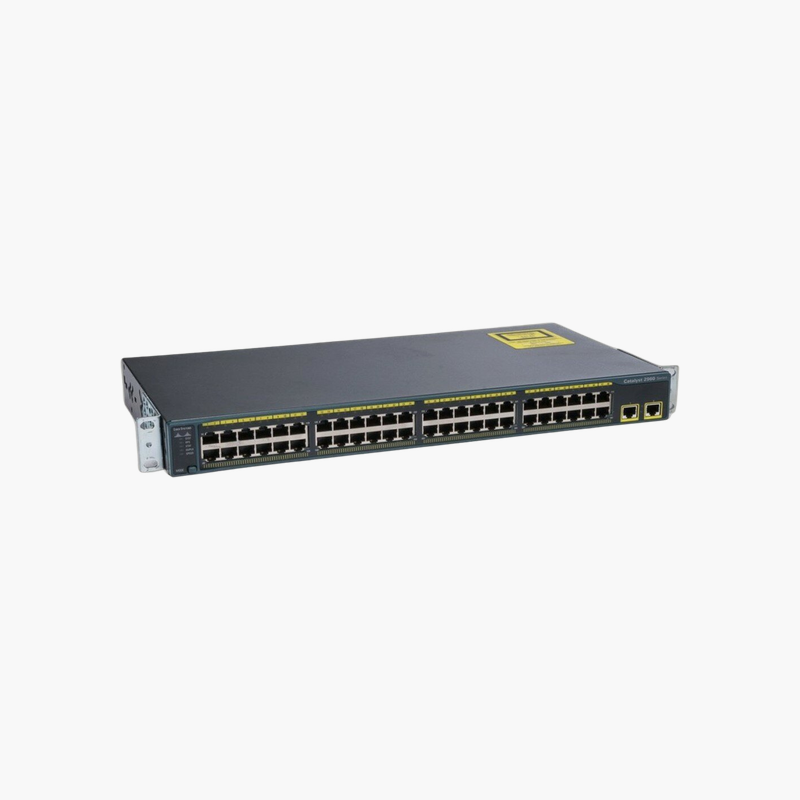
Proven Cisco Layer 2 access for Fast Ethernet desks, phones and point-of-sale devices.
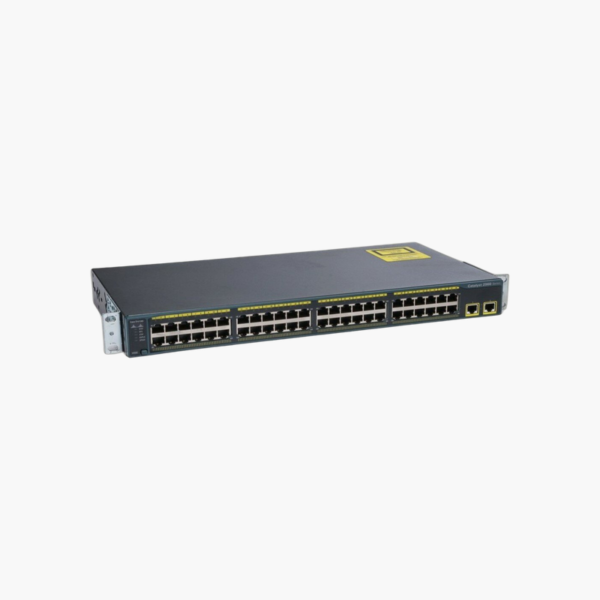
The Cisco WS-C2960+48TC-L is a Fast Ethernet access switch from the Catalyst 2960-Plus Series, with 48 10/100 ports, 2 x dual-purpose Gigabit uplinks. It runs the LAN Base Cisco IOS feature set and suits dense access closets and office floors that need dependable Cisco management on a controlled budget.
Why a Managed Cisco Switch Like the WS-C2960+48TC-L Beats an Unmanaged Switch
Unmanaged switches are easy to install but give you no control once the network grows. A single looped cable can flood every port, any visitor can plug in, and there is no way to see which port is causing a problem.
The WS-C2960+48TC-L runs Cisco IOS LAN Base, which provides full Layer 2 access features: 255 active VLANs, 802.1X, port security, QoS, Rapid Spanning Tree, LLDP and EtherChannel link aggregation. These tools let you separate departments and guests, stop loops before they spread, and troubleshoot port by port.
With 16 Gbps of switching bandwidth and a 10.1 Mpps forwarding rate, the switch forwards traffic from all 48 ports and its uplinks without congestion inside the chassis.
Flexible Uplinks for Fiber or Copper
The uplinks (2 x dual-purpose Gigabit uplinks (SFP or 10/100/1000BASE-T)) connect this switch to a core switch, router or another closet. Use copper for short runs today and switch to an SFP fiber module when you need longer distance or electrical isolation.
Rack-Ready Build for the Wiring Closet
The 1RU chassis mounts in a standard 19-inch rack, and the console port gives direct CLI access for setup and recovery. Cisco IOS is familiar to most network technicians, so existing configurations and skills carry over.
How to Set Up the Cisco WS-C2960+48TC-L
- Mount the switch in a 19-inch rack or on a shelf, keep the vents clear, and connect the AC power cord.
- Connect the uplink to your core switch or router (copper or SFP module), then patch end devices to the access ports.
- Connect to the console port with a terminal program, or use Express Setup / the web interface where available, and assign a management IP, hostname and secure passwords.
- Create your VLANs, enable Spanning Tree and port security, update to the latest supported Cisco IOS release, and save the configuration.












Reviews
There are no reviews yet.