
Networking
Shop all 595 products
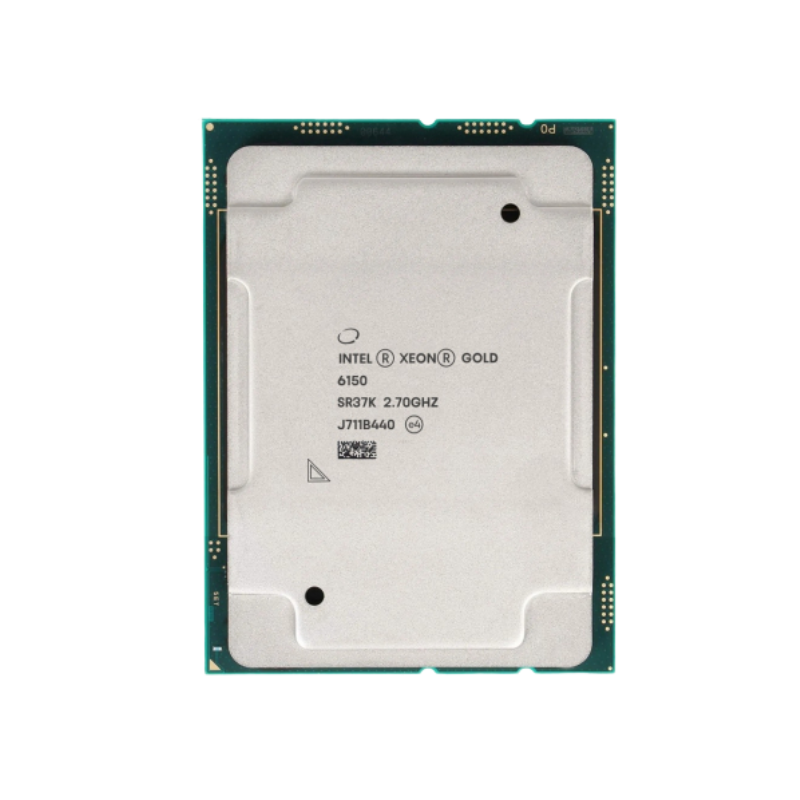
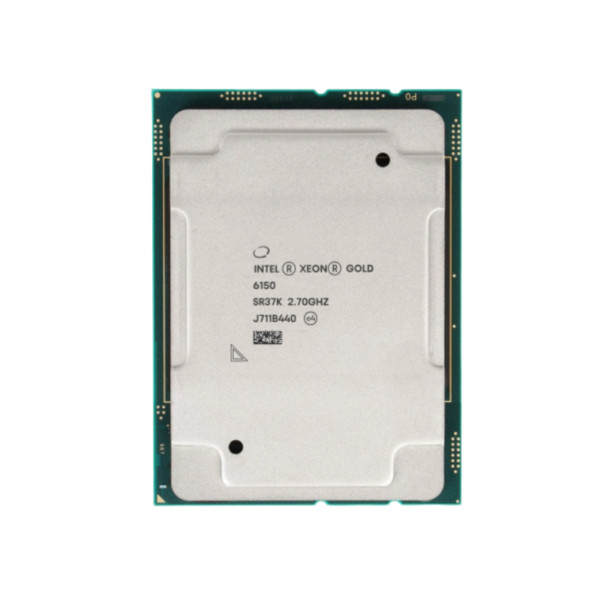
The Intel Xeon Gold 6150 is a 1st Gen Intel Xeon Scalable processor built on Skylake-SP (14nm), with 18 cores, 36 threads, a 2.7 GHz base clock and up to 3.7 GHz turbo. It uses the LGA3647 (Socket P) socket, supports DDR4-2666 ECC memory (6 channels) and is designed for servers, virtualization hosts and data center workloads.
Why Server Workloads Outgrow Desktop-Class Processors – Intel Xeon Gold 6150
Desktop processors are built for one user and bursty workloads. Servers run many services at once, around the clock, and need memory capacity, error correction and I/O bandwidth that consumer chips do not provide. Pushing a desktop platform into that role usually ends in memory limits, missing ECC support or a shortage of PCIe lanes.
The Xeon Gold 6150 is a 1st Gen Intel Xeon Scalable processor designed for that environment. With 18 cores and 36 threads, 24.75MB of cache and 6 channels of DDR4-2666 ECC memory, it can host virtual machines, containers, databases and application servers on a single socket, and it supports multi-socket systems with up to 4 sockets.
Its 165W TDP and server-grade feature set make it a practical choice for building, upgrading or expanding LGA3647 servers from vendors such as Dell, HPE, Lenovo and Supermicro, as long as the system board and cooling are rated for it.
18 Cores and 6-Channel Memory for Server Consolidation
Higher core counts and wide memory bandwidth let you consolidate several older servers onto one host. Each of the 18 cores runs two threads, and the 24.75MB shared cache keeps hot data close to the cores for databases, hypervisors and analytics.
AVX-512 and Scalable Multi-Socket Design
AVX-512 accelerates scientific, financial and media workloads, and UPI links let the Xeon Gold 6150 scale to 4 sockets for larger systems.
Setup Instructions
How to Install the Intel Xeon Gold 6150
- Confirm your system board uses the LGA3647 (Socket P) socket with the Intel C620 series chipset, and update the BIOS to a version that lists the Xeon Gold 6150 as supported. Multi-socket systems need matching processors in every socket.
- Clip the Xeon Gold 6150 into the carrier frame, attach the carrier to the heatsink, then lower the assembly onto the socket using the alignment pins. Tighten the heatsink screws in the order printed on the heatsink.
- Use a heatsink rated for 165W and confirm the server’s fan configuration supports this TDP. Server heatsinks usually come with thermal paste pre-applied; replace it if the heatsink is being reused.
- Install ECC memory following the board’s channel population guide, power on, confirm the processor and memory are detected in the BIOS or BMC, then install your operating system or hypervisor.






Reviews
There are no reviews yet.