
Networking
Shop all 595 products
100GbE throughput with RDMA for data-intensive workloads.
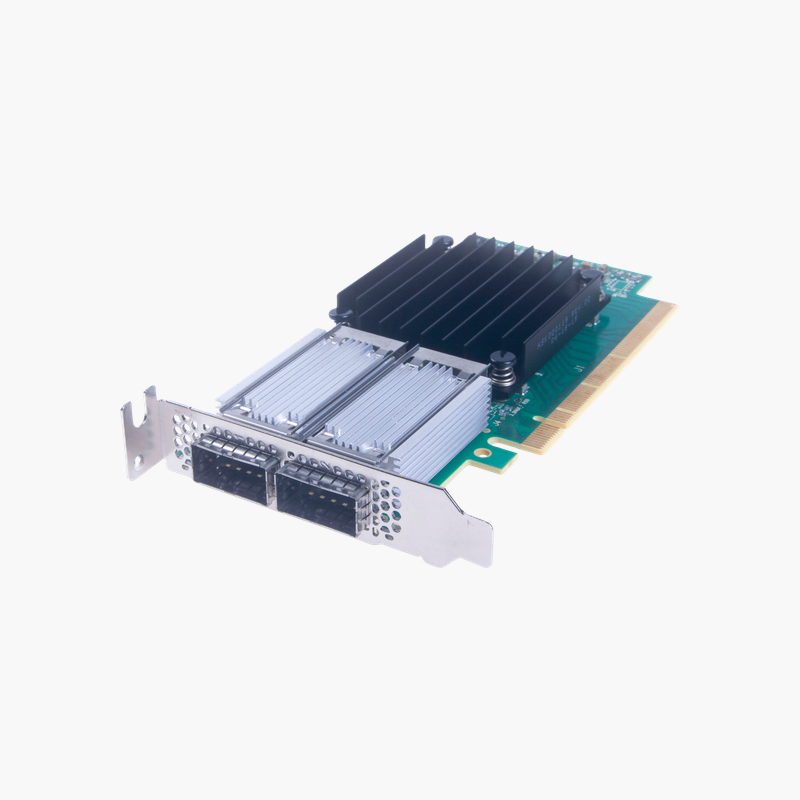
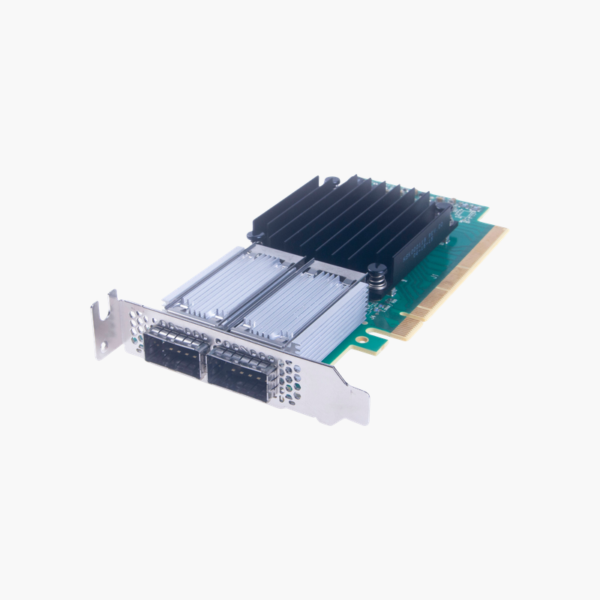
The NVIDIA Mellanox MCX416A-CCAT is a ConnectX-4 EN dual-port 100GbE adapter with two QSFP28 ports on PCIe 3.0 x16. It delivers RoCE RDMA, SR-IOV and overlay offloads for HPC clusters, storage systems and virtualized cloud servers that need high bandwidth at low latency.
Removing the Network Bottleneck for Data-Intensive Servers
AI training, HPC and NVMe storage can move data faster than 10G or 25G networks can carry it. Using CPU cycles for packet processing adds latency and limits the throughput each server can achieve.
The MCX416A-CCAT uses the ConnectX-4 controller to deliver up to 100GbE per port with RDMA over Converged Ethernet (RoCE), letting data move directly between server memory and the network with minimal CPU involvement.
Hardware offloads for SR-IOV and overlay networks (VXLAN, NVGRE, Geneve) keep virtualized and containerized workloads fast while freeing CPU cores for applications.
Key Features and Offloads
The MCX416A-CCAT supports roCE RDMA, SR-IOV, VXLAN/NVGRE/Geneve overlay offload and stateless TCP offloads. These capabilities reduce CPU overhead and improve consistency for HPC, storage and virtualized cloud servers.
Installation and Compatibility
It connects through a PCI Express 3.0 x16 and is designed for Servers and storage systems with a PCIe 3.0 x16 slot. Supported media: QSFP28 DAC, AOC or optical transceivers.
How to Install the NVIDIA Mellanox MCX416A-CCAT
- Power down the server, disconnect power, and open the chassis following the server documentation.
- Install the adapter in a free 3.0 x16 or wider slot and secure the bracket.
- Connect cables or transceivers (QSFP28 DAC, AOC or optical transceivers) to your switch, then power on the server.
- Install or update the latest drivers and firmware for your operating system or hypervisor, then configure IP addressing, teaming, VLANs or RDMA as needed.













Reviews
There are no reviews yet.