
Networking
Shop all 595 products

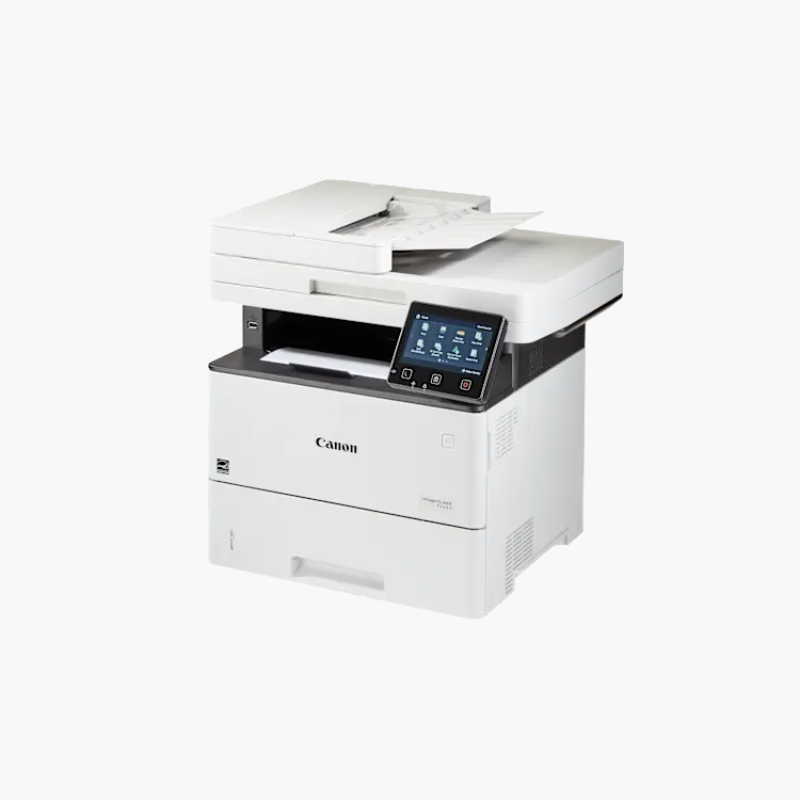
The Canon imageCLASS D1620 is a monochrome laser multifunction printer for busy offices and workgroups. It prints at up to 45 pages per minute, copies and scans through a 50-sheet duplex document feeder, and holds 650 sheets as standard, expandable to 2,300 sheets with optional paper cassettes.
Deep-Dive Story & Problem/Solution
High-Volume Offices Outgrow Entry-Level Laser Printers
A printer rated for a few hundred pages a month slows down a team that prints thousands. Small paper trays need constant refilling, and slow engines create queues at the device.
The D1620 is built for a recommended volume of 2,000 to 7,500 pages a month. A 550-sheet cassette and 100-sheet multipurpose tray are standard, and up to three optional cassettes raise capacity to 2,300 sheets.
The duplex ADF and automatic two-sided printing handle double-sided contracts and reports without manual page flipping.
Simple Control Panel
A 5-inch color touchscreen can be customized with frequently used functions, and scan-to-email or network folder workflows are set up once and reused.
Office Connectivity
Gigabit Ethernet, Wi-Fi, and USB are included, along with AirPrint, Mopria, and Canon PRINT support for mobile devices.
Setup Instructions
How to Set Up the Canon imageCLASS D1620
- Unpack the unit with two people and remove all packing materials.
- Install the toner cartridge and load paper in the cassette.
- Power on and complete the touchscreen setup for date, network, and security.
- Install drivers on user computers and configure scan destinations.















Reviews
There are no reviews yet.