
Networking
Shop all 595 products


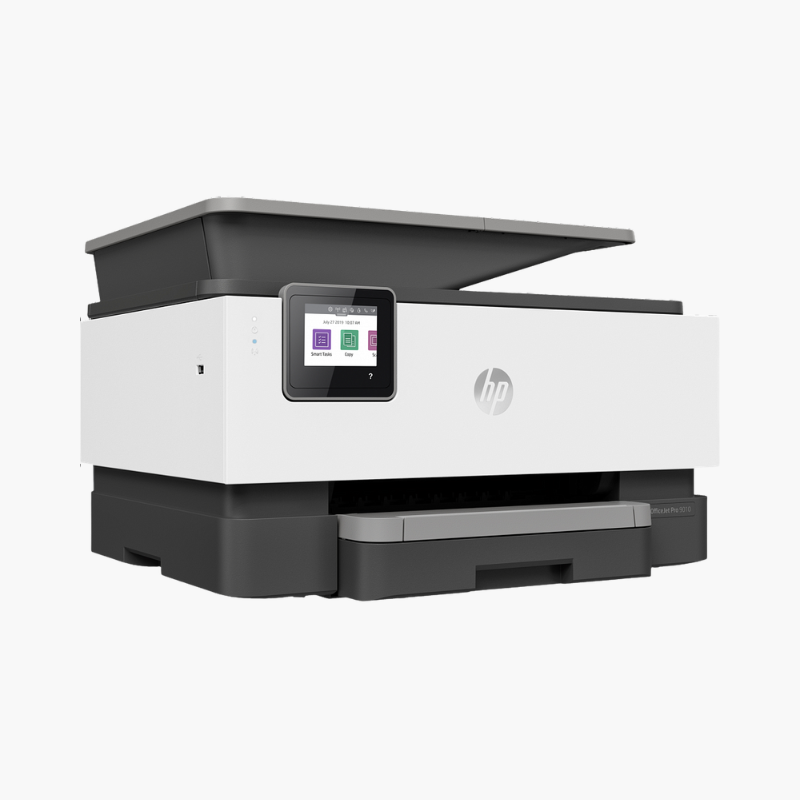
The HP OfficeJet 250 is a portable all-in-one inkjet for mobile professionals who need to print, scan, and copy away from the office. It runs on a rechargeable battery, includes a 10-page ADF and 50-sheet tray, and connects by Wi-Fi, Bluetooth, or USB.
Deep-Dive Story & Problem/Solution
Field Work Still Runs on Paper, but the Office Printer Is Miles Away
Sales reps, inspectors, contractors, and real-estate agents regularly need a signed document on the spot. Driving back to the office, or asking the client to print it, delays the deal and looks unprepared.
The OfficeJet 250 puts print, scan, and copy functions in a 6.5 lb unit with an included battery. It prints up to 10 ppm in black and 7 ppm in color on AC power, and 9 and 6 ppm on battery, with fast charging in about 90 minutes.
A 10-page ADF feeds multi-page documents for scanning or copying at up to 600 dpi. Wi-Fi Direct and Bluetooth let a phone or laptop connect where no network exists.
Print, Scan, and Copy Anywhere
Print resolution reaches 1200 x 1200 dpi in black and 4800 x 1200 dpi in color on media up to legal size. HP 62 black and tri-color cartridges are easy to carry as spares.
Designed for Travel
The 2.65-inch color touchscreen guides setup and scanning. The printer charges from AC or a vehicle outlet via an adapter and folds to about 15 x 7.8 x 3.6 inches.
Setup Instructions
How to Set Up the HP OfficeJet 250
- Insert the battery, connect the power adapter, and charge the printer.
- Open the lid, install the HP 62 black and tri-color cartridges, and load paper.
- Connect with the HP Smart app over Wi-Fi Direct or Bluetooth, or plug in a USB cable.
- Print an alignment page and test the ADF with a short scan.














Reviews
There are no reviews yet.