
Networking
Shop all 595 products


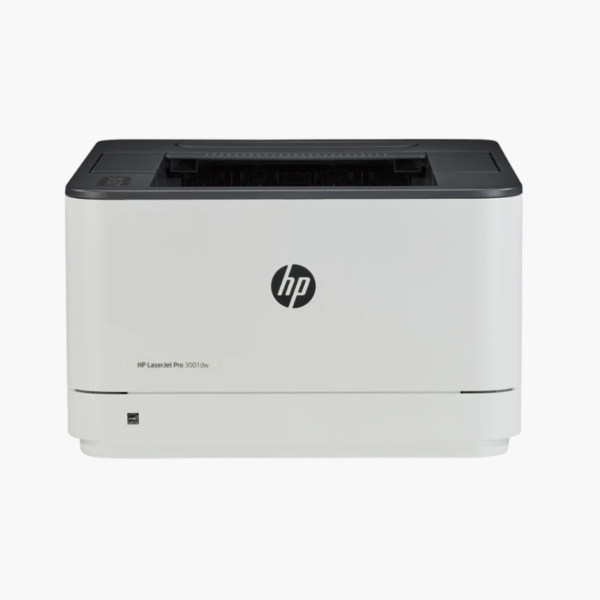
The HP LaserJet Pro 3001dw is a compact monochrome laser printer for home offices and small teams that mainly print text. It produces 35 pages per minute, prints two-sided automatically, and connects over Wi-Fi, Ethernet, or USB while taking up little desk space.
Deep-Dive Story & Problem/Solution
Inkjets Are the Wrong Tool for High-Volume Text
Invoices, shipping labels, forms, and reports are black text. Printing them on an inkjet means slower pages, a higher cost per page, and cartridges that clog if left unused over a holiday.
The 3001dw is a dedicated mono laser. Toner is fused to paper, so pages are dry, sharp, and smudge-resistant, and the cartridge does not dry out. The first page arrives in about 6.6 seconds and the engine runs at 35 ppm, including in duplex mode.
Print resolution is 1200 x 1200 dpi. A duty cycle of up to 50,000 pages a month gives a wide margin for small-office volumes.
Fast, Sharp Black-and-White Printing
Small fonts and fine lines stay legible, which matters for contracts and barcodes. The 250-sheet tray and 150-sheet output bin support long unattended runs.
Simple to Place and Connect
At 14.4 x 15.7 x 8.6 inches, the printer suits tight spaces. Apple AirPrint, Mopria, Wi-Fi Direct, and the HP Smart app enable printing from phones and tablets.
Setup Instructions
How to Set Up the HP LaserJet Pro 3001dw
- Unbox the printer and remove all tape and the cartridge protective strip.
- Load paper in the 250-sheet tray and connect power.
- Use the HP Smart app to connect over Wi-Fi, or plug in an Ethernet or USB cable.
- Install the driver and print a test page.














Reviews
There are no reviews yet.