
Networking
Shop all 595 products
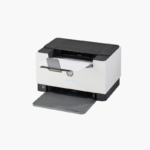

The HP LaserJet MFP M140w is a compact wireless monochrome laser multifunction printer for home offices and micro-businesses. It prints up to 21 ppm, scans and copies from a flatbed, and connects over Wi-Fi with HP Smart app support for mobile use.
Deep-Dive Story & Problem/Solution
A Laser All-in-One Usually Takes Up Half the Desk
People who work from a spare room or a shop counter want laser reliability and a scanner, but most laser multifunction units are too bulky for the space.
The M140w packs a mono laser engine and a flatbed scanner into a body weighing about 11.9 lbs. It prints 21 ppm with the first page out in around 8.3 seconds.
Toner-based printing gives crisp, dry text and does not dry up between uses, a common frustration with inkjets in low-volume environments.
Laser Printing With Flatbed Scan and Copy
Print resolution is 600 x 600 dpi and the scanner offers 600 dpi optical resolution. A 150-sheet input tray and 100-sheet output bin cover personal workloads.
Wireless and Mobile Friendly
Wi-Fi, Wi-Fi Direct, AirPrint, Mopria, and the HP Smart app make it simple to print from and scan to mobile devices. USB is available for direct connection.
Setup Instructions
How to Set Up the HP LaserJet MFP M140w
- Remove packaging and the toner sealing tab.
- Load paper and connect the power cord.
- Open the HP Smart app and follow the Wi-Fi setup steps.
- Print a test page and make a test copy from the flatbed.













Reviews
There are no reviews yet.