
Networking
Shop all 595 products
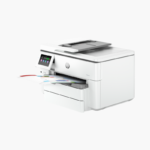

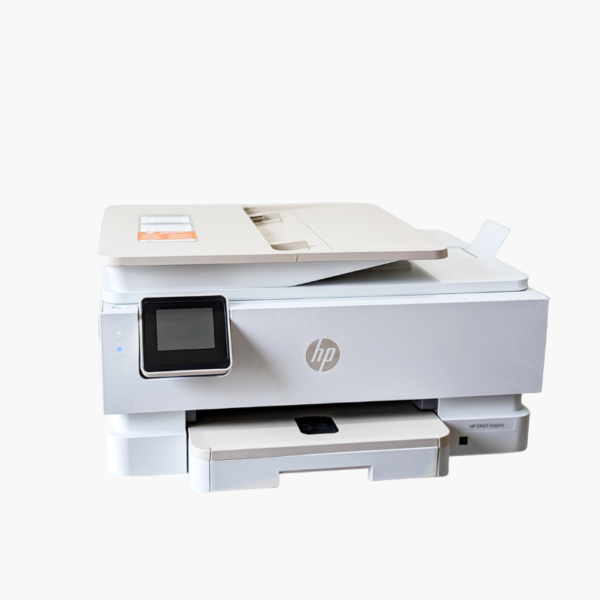
The HP ENVY Inspire 7955e is a wireless color inkjet all-in-one for families and home offices that print both documents and photos. It prints, scans, and copies, with a dedicated photo tray, a 35-sheet ADF, automatic duplex, and a 2.7-inch touchscreen.
Deep-Dive Story & Problem/Solution
One Home Printer Has to Handle Homework, Work Documents, and Photos
Family printers get the widest range of jobs: school reports, tax forms, craft projects, and photo prints. Most budget models make you swap paper for each task and scan pages one by one.
The ENVY Inspire 7955e has a 125-sheet main tray and a separate 15-sheet photo tray, so it switches between plain paper and photo stock automatically. A 4 x 6 photo prints in as little as 40 seconds.
A 35-sheet ADF handles multi-page scanning and copying, and automatic two-sided printing is standard. Print speeds reach 15 ppm in black and 10 ppm in color (ISO).
Documents and Photos Without Paper Swaps
Color resolution reaches up to 4800 x 1200 optimized dpi, and borderless photo printing is supported. Scan resolution is up to 1200 x 1200 dpi.
Easy Wireless Use for the Whole Household
Dual-band Wi-Fi, AirPrint, Mopria, and the HP Smart app let every family member print from a phone, tablet, or Chromebook. The touchscreen offers one-tap shortcuts.
Setup Instructions
How to Set Up the HP ENVY Inspire 7955e
- Remove tape and packing material, then plug in and power on the printer.
- Install the HP 64 black and tri-color cartridges and load plain paper and photo paper in their trays.
- Connect using the HP Smart app and follow the on-screen Wi-Fi setup.
- Print the alignment page and scan it to finish calibration.














Reviews
There are no reviews yet.