Networking
Shop all 595 products
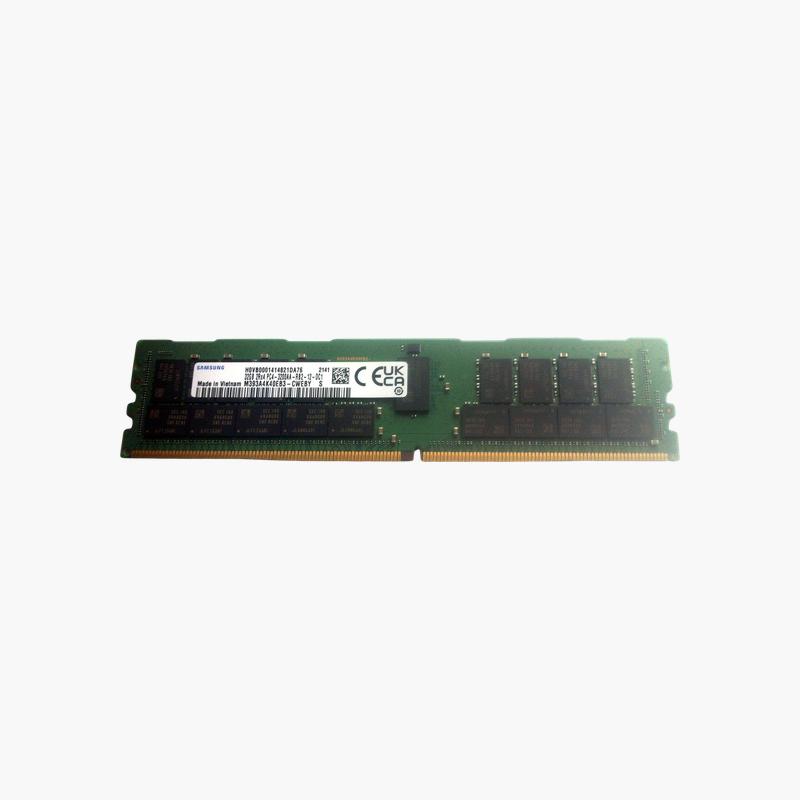
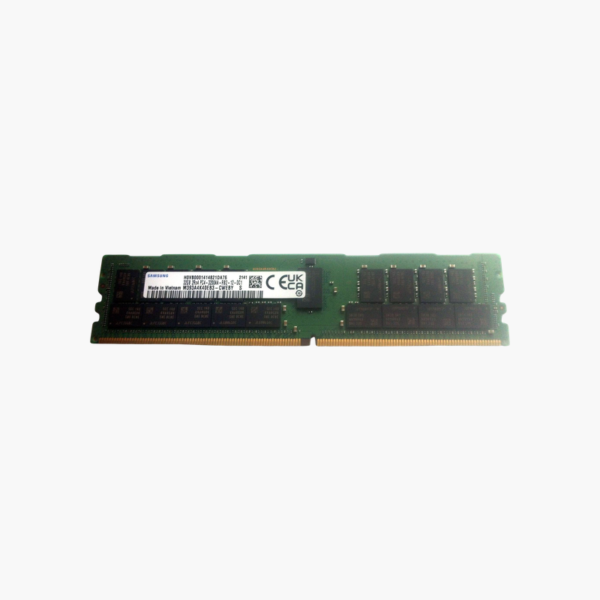
Samsung 32GB DDR4-3200 ECC memory for expanding servers on a budget.
The Samsung M393A4K40EB3-CWE is a 32GB DDR4-3200 ECC Registered DIMM for servers and workstations. These used modules let IT teams, MSPs, and homelab builders add capacity to Intel Xeon Scalable and AMD EPYC systems at lower cost, with the same Samsung memory used by major server OEMs.
Why Memory Capacity Limits Server Workloads
Virtualization hosts, database servers, and in-memory analytics platforms usually run out of memory before they run out of CPU. Every virtual machine and cache reserves RAM, so adding memory is often the fastest way to fit more workloads on the same hardware.
ECC Registered DIMMs are designed for this job. ECC corrects single-bit errors on every access, protecting long-running workloads from silent data corruption. The register chip buffers command and address signals, reducing electrical load so servers can run more DIMMs per channel.
This module runs at 3200 MT/s with a dual-rank x4 layout at 1.2V. The x4 organization supports chipkill-style error correction on many server platforms, allowing recovery even if an entire DRAM chip fails.
Cost-Effective Capacity for Existing Servers
Used modules let you match memory already installed in production servers, keeping capacity, speed, and rank consistent across channels.
Samsung OEM Memory
Samsung is a leading DRAM manufacturer and supplies memory to Dell, HPE, Lenovo, and Supermicro, so this module type is common across server fleets.
How to Install the Samsung 32GB Server Memory
- Shut down the server, disconnect all power cords, and wear an anti-static wrist strap.
- Open the chassis and follow the vendor’s DIMM population guide so channels are balanced across each processor.
- Align the module notch with the slot key and press evenly until both ejector latches lock.
- Power on, allow memory training to finish, and confirm capacity, speed, and ECC status in BIOS or the management controller (iDRAC, iLO, XClarity, IPMI).