
Networking
Shop all 595 products
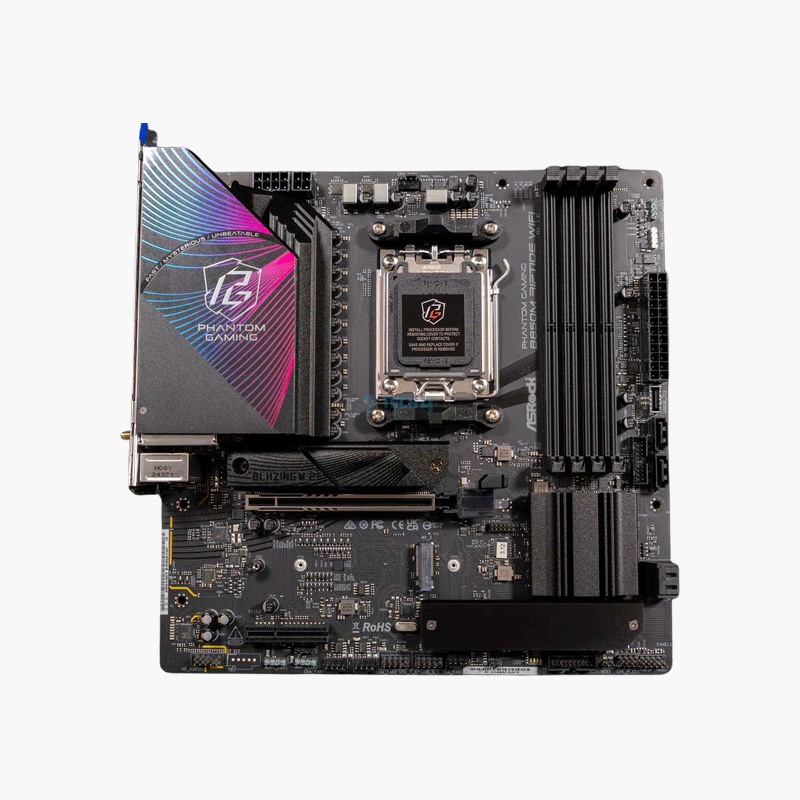
A compact AM5 board with PCIe 5.0 and Wi-Fi 7 for small-form-factor Ryzen builds.
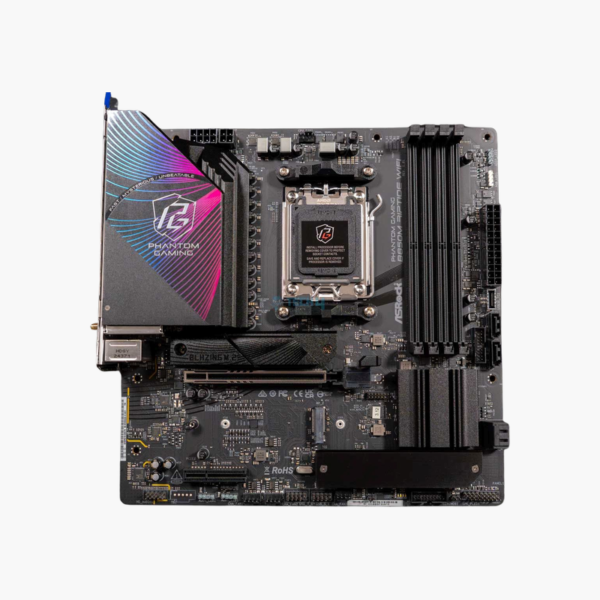
The ASRock B850M Phantom Gaming Riptide WiFi (90-MXBS30-A0UAYAZ) is a Micro-ATX motherboard for AMD Ryzen 9000, 8000 and 7000 processors on Socket AM5. It offers PCIe 5.0 graphics and M.2, up to 256GB of DDR5, three M.2 slots, Wi-Fi 7 and 2.5G LAN. It suits compact gaming and content-creation PCs.
Next-Generation Features in a Micro-ATX Footprint
Micro-ATX boards often cut features to hit a lower price: fewer M.2 slots, no PCIe 5.0 and older wireless. That makes small builds feel like a compromise compared with full ATX systems.
The B850M Riptide WiFi keeps the key features. The B850 chipset brings PCIe 5.0 to the graphics slot, the first M.2 slot runs at PCIe 5.0 x4, and the board includes Wi-Fi 7 and 2.5G LAN, all on a 24.4 x 24.4 cm board.
Storage and Expansion
Three M.2 slots (one PCIe 5.0 x4 from the CPU, one PCIe 4.0 x4 and one PCIe 4.0 x2) and four SATA 6Gb/s ports with RAID 0/1/10 support cover fast and bulk storage. A PCIe 4.0 x4 slot sits beside the PCIe 5.0 x16 graphics slot.
Connectivity and Audio
Wi-Fi 7 with Bluetooth 5.4 and a Realtek RTL8125BG 2.5G LAN controller handle networking. Rear I/O includes USB 3.2 Gen 2 Type-C and Type-A, USB 3.2 Gen 1 and USB 2.0 ports, plus HDMI and DisplayPort 1.4 for Ryzen integrated graphics. Realtek ALC1220 audio with Nahimic support drives headsets and speakers.
Setup Instructions
How to Install the ASRock B850M Riptide WiFi
- Install the AM5 Ryzen processor and cooler, then fit DDR5 memory (A2 and B2 for two sticks) and your M.2 SSD before mounting the board.
- Mount the board in the case and connect the 24-pin ATX, CPU power and front-panel headers.
- Install the graphics card in the top PCIe 5.0 x16 slot and attach the Wi-Fi antenna to the rear I/O.
- Power on into the UEFI BIOS, enable the XMP/EXPO memory profile, update the BIOS using Instant Flash, and install ASRock chipset, LAN and audio drivers.







Reviews
There are no reviews yet.