
Networking
Shop all 595 products
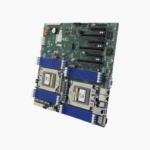

A standard-ATX EPYC platform with server-class PCIe bandwidth and memory capacity.
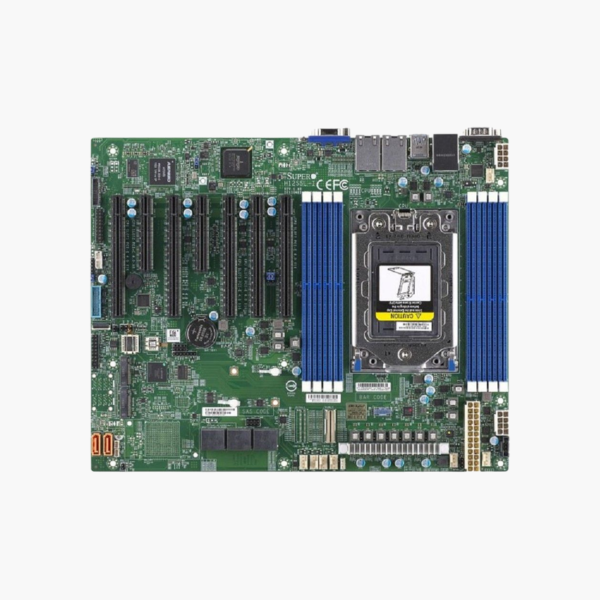
The Supermicro MBD-H12SSL-i-O is a single-socket ATX server motherboard for AMD EPYC 7003 and 7002 series processors. It provides eight DDR4-3200 slots for up to 2TB of ECC memory, seven PCIe 4.0 slots, two M.2 NVMe slots and IPMI remote management. It suits homelab builders, SMB servers, storage nodes and GPU workstations.
Server-Grade Bandwidth in a Standard ATX Footprint
Desktop platforms run out of PCIe lanes quickly. Add a GPU, an NVMe adapter and a fast network card, and most consumer boards start sharing lanes or dropping slots to x4. Memory is also capped at 128GB to 256GB of non-ECC RAM.
The H12SSL-i uses AMD EPYC, which provides 128 PCIe 4.0 lanes from a single CPU. Supermicro routes them to five x16 and two x8 slots, so every card runs at its rated bandwidth. Eight memory channels support up to 2TB of Registered ECC DDR4-3200.
Because the board uses standard ATX dimensions (12 x 9.6 inches), it fits ordinary tower cases and many 2U/4U chassis, which gives homelab and SMB users more housing options than proprietary server boards.
Storage and Networking
Two M.2 slots (PCIe 4.0 x4, 2280/22110) handle boot or cache drives. Eight SATA3 ports, or two NVMe drives via a SlimSAS x8 connector, cover data disks. Dual Gigabit Ethernet (Broadcom BCM5720) plus a dedicated IPMI LAN port separate data and management traffic.
Remote Management and Reliability
The ASPEED AST2500 BMC provides IPMI 2.0, virtual media and KVM-over-LAN, so you can install an OS, update firmware or recover a hung server without being in the room. ECC memory support protects long-running workloads from silent memory errors.
Setup Instructions
How to Set Up the Supermicro H12SSL-i
- Install the EPYC 7003/7002 processor in the SP3 socket using the torque sequence printed on the retention frame, then fit an SP3-compatible cooler.
- Populate Registered ECC DDR4 DIMMs following Supermicro’s population guide (all eight channels for best bandwidth).
- Mount the board in an ATX-compatible chassis, connect the 24-pin ATX and both 8-pin CPU power connectors, and attach storage to the M.2, SATA or SlimSAS ports.
- Connect the IPMI port to your management network, log in to the BMC web interface, update BIOS/BMC firmware, and install your operating system or hypervisor.







Reviews
There are no reviews yet.