
Networking
Shop all 595 products

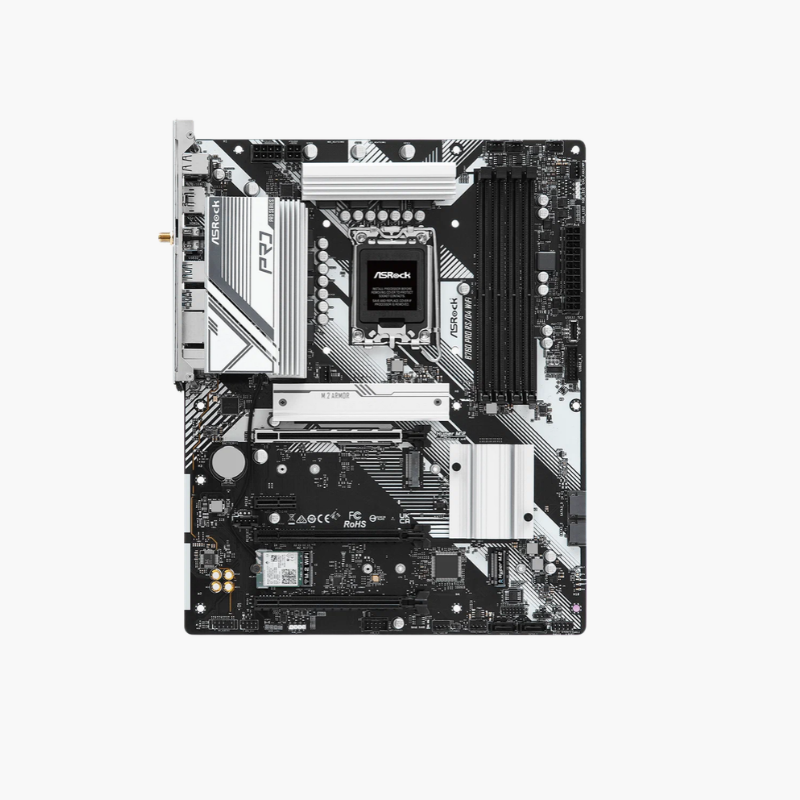
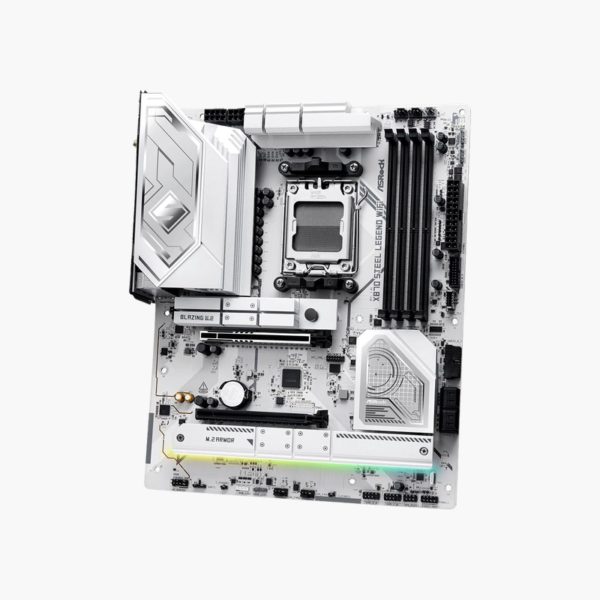
A well-built X870 board with USB4, PCIe 5.0 and Wi-Fi 7 in the Steel Legend design.
The ASRock X870 Steel Legend WiFi is an ATX motherboard for AMD Ryzen 9000, 8000 and 7000 processors on Socket AM5. It provides DDR5 up to 256GB, a PCIe 5.0 x16 slot, a PCIe 5.0 M.2 slot, dual USB4, Wi-Fi 7 and 2.5G LAN. It targets gamers and creators who want X870 features at a mid-range price.
Getting the Full X870 Feature Set Without Flagship Pricing
X870 is AMD’s chipset for builders who want PCIe 5.0 graphics and storage plus USB4 as standard. Flagship boards add extras such as overclocking tools and premium audio that push the price far higher.
The X870 Steel Legend WiFi covers the essentials: a PCIe 5.0 x16 slot, a Gen5 M.2 slot, two USB4 ports, Wi-Fi 7 and DDR5 support up to 8000+ MT/s. The Steel Legend design pairs these with large VRM heatsinks for steady power to Ryzen 9 processors.
Storage and Expansion
Three M.2 slots (one PCIe 5.0 x4 and two PCIe 4.0 x4) and four SATA 6Gb/s ports provide fast and bulk storage. A second x16-size PCIe 4.0 slot supports an additional add-in card.
USB4, Networking and Audio
Two rear USB4 Type-C ports deliver up to 40Gbps each, alongside USB 3.2 Gen 2×2 and Gen 1 ports. Wi-Fi 7 with Bluetooth, a 2.5G LAN port, HDMI output for Ryzen integrated graphics and 7.1-channel HD audio complete the I/O.
Setup Instructions
How to Install the ASRock X870 Steel Legend WiFi
- Install the AM5 Ryzen processor and cooler, then fit DDR5 memory (A2 and B2 for two sticks) and your M.2 SSD before mounting the board.
- Mount the board in the case and connect the 24-pin ATX, CPU power and front-panel headers.
- Install the graphics card in the top PCIe 5.0 x16 slot and attach the Wi-Fi antenna.
- Power on into the UEFI BIOS, enable the XMP/EXPO memory profile, update the BIOS using Instant Flash, and install ASRock chipset, LAN and audio drivers.





Reviews
There are no reviews yet.