
Networking
Shop all 595 products
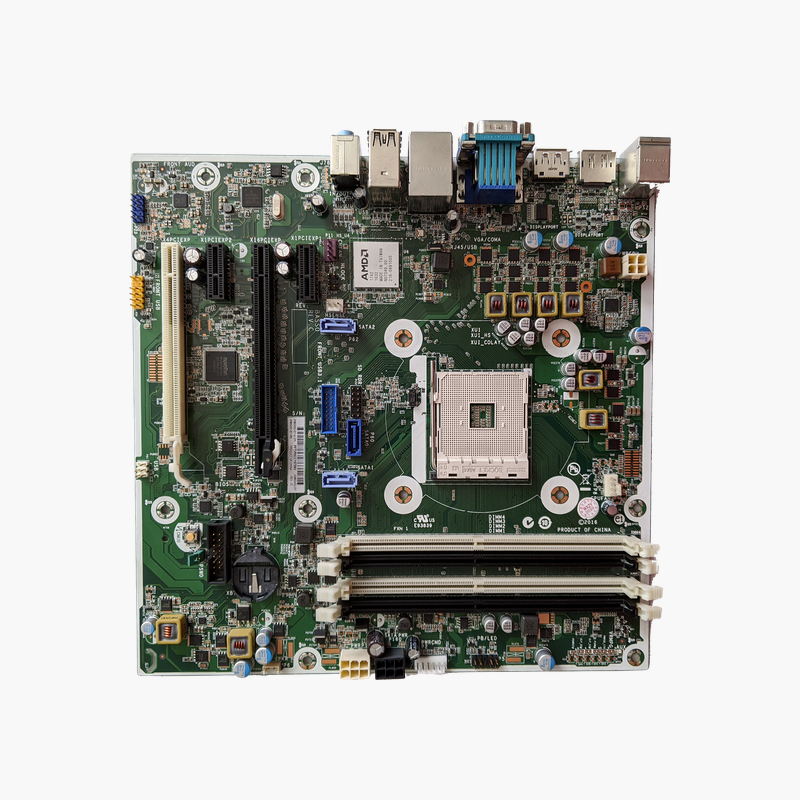
Return an EliteDesk 705 G3 Microtower to service with its original HP system board.
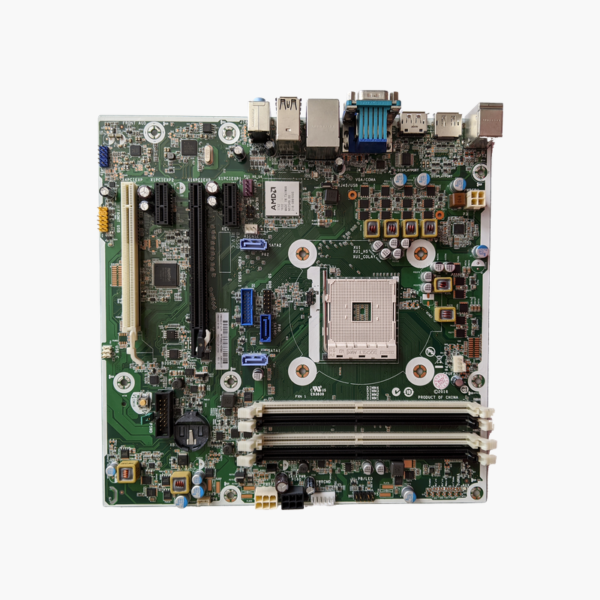
This is the HP OEM system board for the EliteDesk 705 G3 Microtower, sold under part numbers 854582-001, 854432-001 and 854582-601. It uses AMD Socket AM4 with DDR4 memory and supports 7th Gen AMD PRO A-Series APUs. It is intended for IT teams and repair technicians maintaining HP business desktops.
Why Replace the Board Instead of the Whole Desktop
When a fleet desktop fails at the motherboard, replacing the whole unit means new imaging, asset records and user downtime. The processor, memory, storage and power supply are usually still fine.
This HP board matches the EliteDesk 705 G3 MT exactly: the same front-panel wiring, rear I/O shield, mounting points and BIOS. Existing parts move straight over, and the machine returns to the same configuration it had before the failure.
AM4 Platform With DDR4
The board accepts the 7th Gen AMD PRO A6, A8, A10 and A12 APUs used in the 705 G3 and supports DDR4 memory across four DIMM slots. Integrated Radeon graphics drive the DisplayPort outputs, so no graphics card is needed for office work.
Storage and Connectivity
SATA 6Gb/s ports, M.2 support, PCIe x16 and x1 expansion, Gigabit Ethernet and USB 3.0/2.0 ports cover typical office requirements. HP business BIOS features such as TPM and remote management settings remain available.
Setup Instructions
How to Replace the EliteDesk 705 G3 MT Motherboard
- Unplug the system, open the side panel and photograph cable positions before removing the old board.
- Move the AM4 APU (with fresh thermal paste) and DDR4 memory to the replacement board.
- Install the board in the microtower chassis and reconnect power, SATA, front-panel, fan and USB cables as photographed.
- Power on, enter the BIOS to set the serial number and asset tag if prompted, then boot and confirm drivers and Windows activation.





Reviews
There are no reviews yet.