
Networking
Shop all 595 products
Keep legacy BladeCenter HS21 XM blades in production with a tested replacement board.
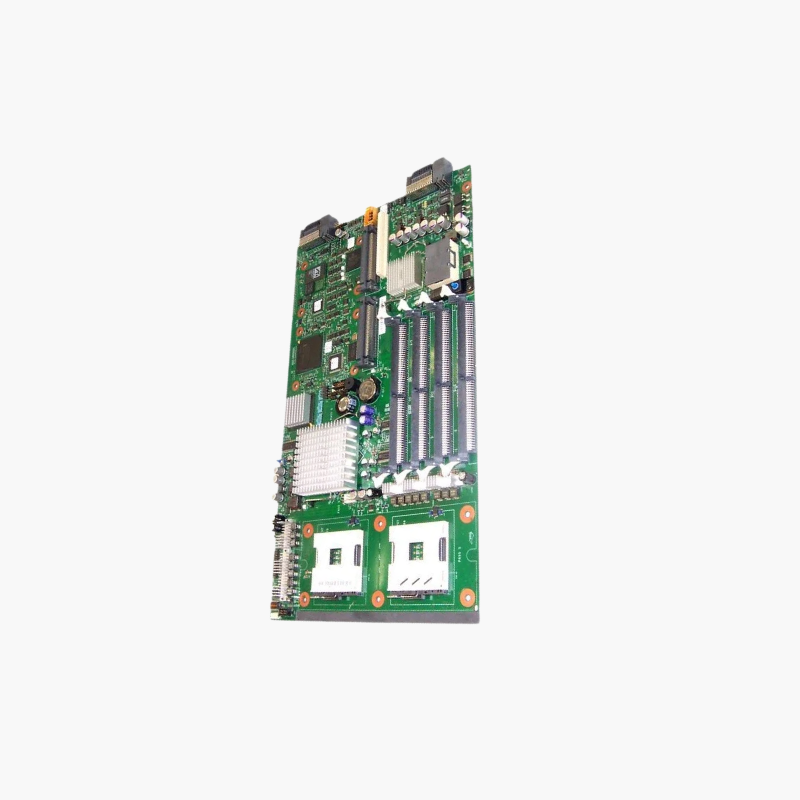
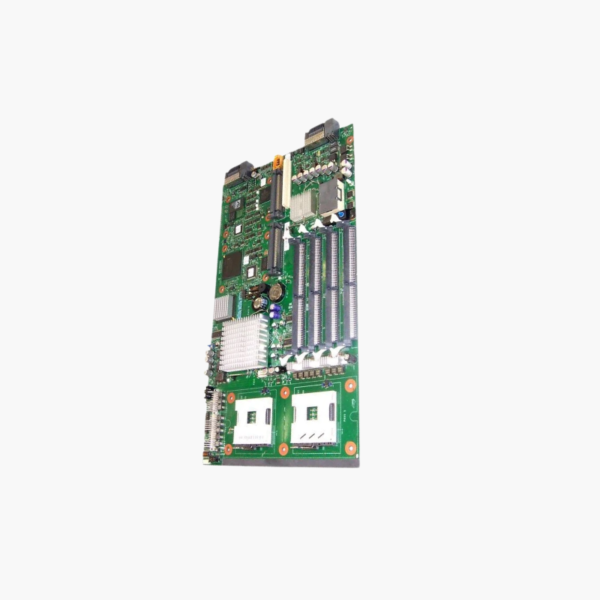
The IBM 46C5057 is the system board for BladeCenter HS21 XM blade servers. It supports two Intel Xeon processors on LGA 771 with the Intel 5000P chipset, eight FB-DIMM DDR2-667 ECC slots, an integrated LSI SAS controller and dual Gigabit Ethernet. It is a refurbished part for data centers maintaining legacy blade systems.
Extending the Life of Legacy BladeCenter Systems
Many organizations still run stable workloads on BladeCenter chassis: legacy applications, test environments and systems tied to specific hardware. When a blade system board fails, a full platform migration is costly and risky.
Replacing the 46C5057 board restores the HS21 XM blade with its original processors, memory and storage. The blade slots back into the existing chassis, keeping the shared power, cooling and network modules already in place.
Dual-Socket Xeon Platform
The board uses the Intel 5000P chipset with two LGA 771 sockets for Xeon 5000-series processors. Eight FB-DIMM slots support DDR2-667 ECC memory with high capacity for the era, suitable for virtualization and database workloads.
Integrated Storage, Networking and Management
An LSI 1064E SAS controller handles internal drives, dual Gigabit Ethernet connects through the chassis switch modules, and an ATI ES1000 controller provides video. The integrated BMC supports IPMI for remote monitoring and control through the BladeCenter management module.
Setup Instructions
How to Replace the HS21 XM System Board
- Shut down the blade through the management module, remove it from the BladeCenter chassis and place it on an anti-static surface.
- Remove the cover and transfer the processors (with new thermal compound), heatsinks, FB-DIMMs, drives and expansion cards to the 46C5057 board.
- Reassemble the blade, insert it into its chassis bay and allow the management module to detect it.
- Update the blade’s BIOS and BMC firmware, restore the machine type and serial number (VPD) if required, and boot the operating system.







Reviews
There are no reviews yet.