
Networking
Shop all 595 products
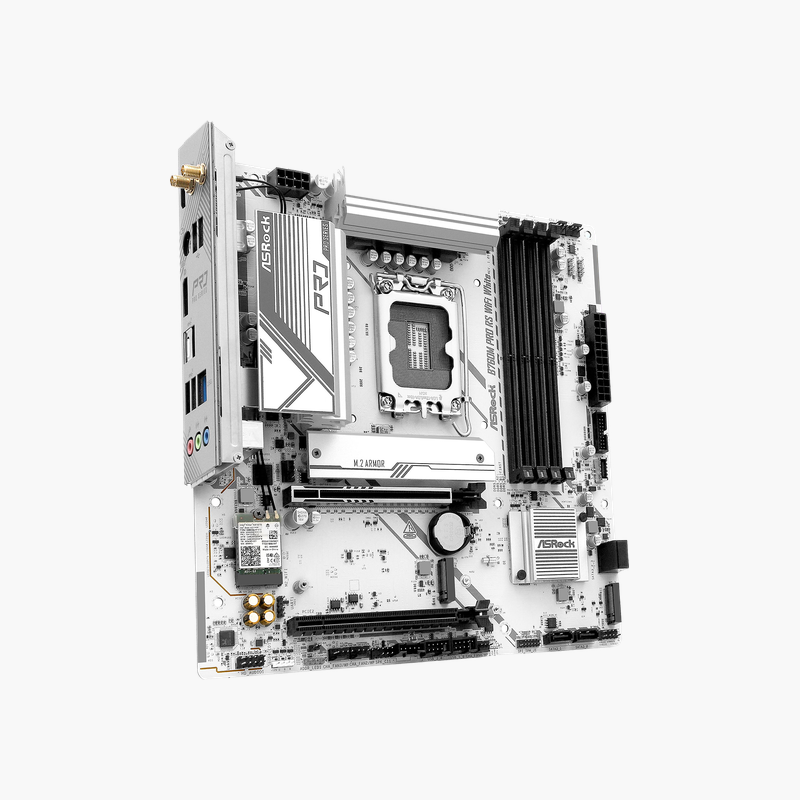
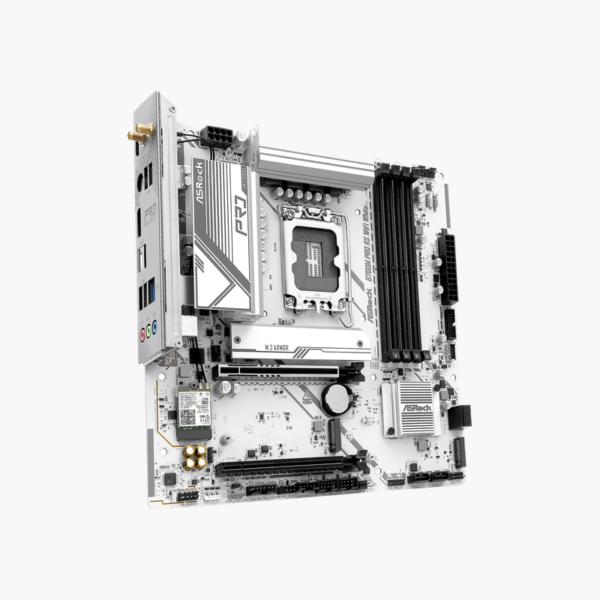
A white Micro-ATX Intel board with DDR5 and Wi-Fi for clean-looking builds.
The ASRock B760M Pro RS WiFi White is a Micro-ATX motherboard for Intel 12th, 13th and 14th Gen processors on LGA 1700. It supports DDR5 across four slots, two PCIe 4.0 M.2 slots, four SATA3 ports, built-in Wi-Fi and HDMI and DisplayPort outputs, finished in white. It suits compact gaming and creator builds.
Performance and Aesthetics for White-Themed Builds
Builders choosing white cases and components often find that most motherboards are black, which breaks the look. White boards are usually limited to premium models.
The B760M Pro RS WiFi White delivers a white PCB and heatsinks on a mainstream B760 board. It still provides the features that matter: DDR5 support, PCIe 4.0 storage, a PCIe 4.0 graphics slot and built-in wireless networking.
DDR5 and PCIe 4.0 Performance
Four DDR5 DIMM slots support high-speed XMP kits for 12th to 14th Gen processors. The PCIe 4.0 x16 slot runs current graphics cards at full bandwidth, and two PCIe 4.0 M.2 slots plus four SATA3 ports cover storage.
Connectivity
Built-in Wi-Fi with Bluetooth and onboard LAN cover networking. HDMI and DisplayPort outputs work with Intel integrated graphics, and the rear panel includes USB Type-C, USB 3.2 Gen 1 and USB 2.0 ports along with HD audio.
Setup Instructions
How to Install the ASRock B760M Pro RS WiFi White
- Install the LGA 1700 processor and cooler, then fit DDR5 memory (A2 and B2 for two sticks) and your M.2 SSD before mounting the board.
- Mount the board in the case and connect the 24-pin ATX, CPU power and front-panel headers.
- Install the graphics card in the PCIe 4.0 x16 slot and attach the Wi-Fi antenna.
- Power on into the UEFI BIOS, enable the XMP/EXPO memory profile, update the BIOS using Instant Flash, and install ASRock chipset, LAN and audio drivers.







Reviews
There are no reviews yet.