
Networking
Shop all 595 products
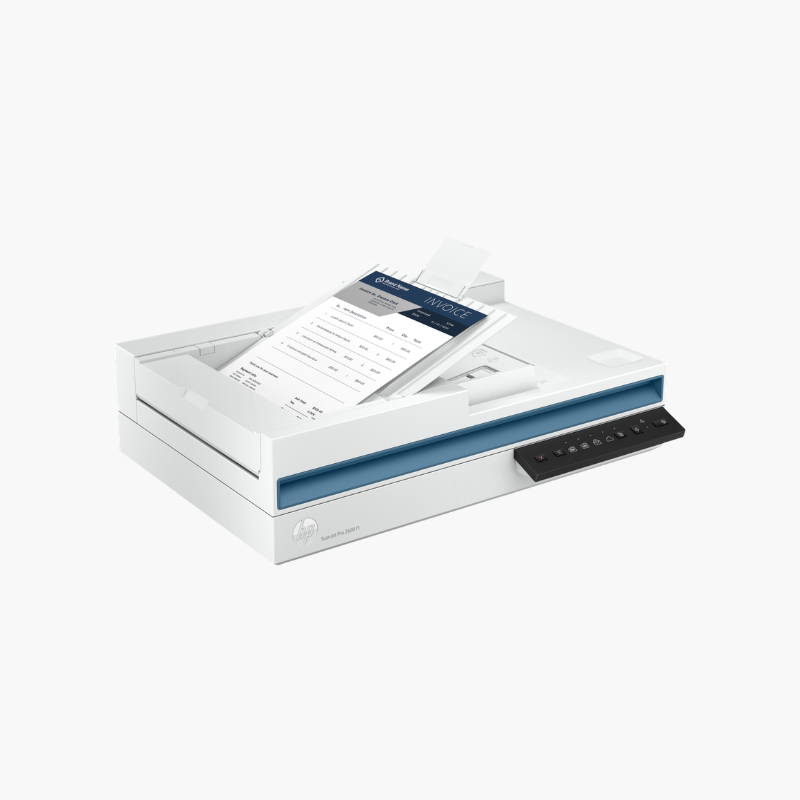
The HP ScanJet Pro 2600 f1 is a flatbed document scanner with an automatic document feeder for small offices. It scans up to 25 pages or 50 images per minute in duplex from a 60-sheet feeder, and its flatbed captures books, passports, and fragile originals at up to 1200 dpi.
Deep-Dive Story & Problem/Solution
Sheet-Fed Scanners Cannot Handle Books, IDs, or Fragile Pages
Offices regularly scan passports, bound reports, receipts, and worn documents that cannot go through a feeder. Using a separate flatbed for these and a sheet-fed unit for stacks takes up desk space.
The ScanJet Pro 2600 f1 combines both. The 60-sheet ADF handles two-sided batches at 25 ppm, and the flatbed glass accepts anything that should not be bent or fed.
HP Scan software offers one-touch shortcuts, OCR for searchable PDFs, and sending to email, folders, or cloud storage.
Image Quality Controls
ADF scans reach 600 dpi and flatbed scans 1200 dpi. Automatic cropping, deskew, and blank page removal tidy up results.
Compact Office Fit
The scanner connects over USB and works with TWAIN-compliant applications on Windows and macOS.
Setup Instructions
How to Set Up the HP ScanJet Pro 2600 f1
- Place the scanner on a flat surface and unlock the scan head if a lock is fitted.
- Connect the power adapter and USB cable to the computer.
- Install the HP Scan software and drivers.
- Load pages in the ADF or on the glass and start a scan shortcut.















Reviews
There are no reviews yet.